

A small WordPress SMTP plugin that does three things and nothing else: it sends your mail over SMTP, it writes down what happened, and it tells a webhook when a message fails.
Why we built it
This plugin exists because the alternatives went the other way. One vendor moved the email log behind a paid tier. Others grew into suites — API providers, OAuth flows, deliverability dashboards, upgrade banners in the admin — until a plugin whose only job is “connect to a mail server” became one more thing you have to watch.
That trade-off looks harmless until you actually operate the site. Every feature you did not ask for is a surface that can break at three in the morning, and it breaks on the day the plugin auto-updates and silently migrates its own settings. The more a mail plugin does, the more ways it has to stop sending mail — and mail is the part your customers notice first. An order confirmation that never arrives is a support ticket; a password reset that never arrives is a locked-out client.
So this is the small, boring version. Fewer moving parts, fewer things to go wrong, and a log that tells you what the server actually said when something did. It is what we run on our own client sites, it is covered by unit tests, and keeping it minimal is the feature — not a stage it will grow out of.
What it does
- Routes every
wp_mail()call over your SMTP server — WooCommerce, contact forms, core password resets, all of it, without touching their code. - Host, port, encryption (STARTTLS, SSL/TLS or none), optional authentication.
- Sender address and name, with an explicit switch for whether they override a sender another plugin already set.
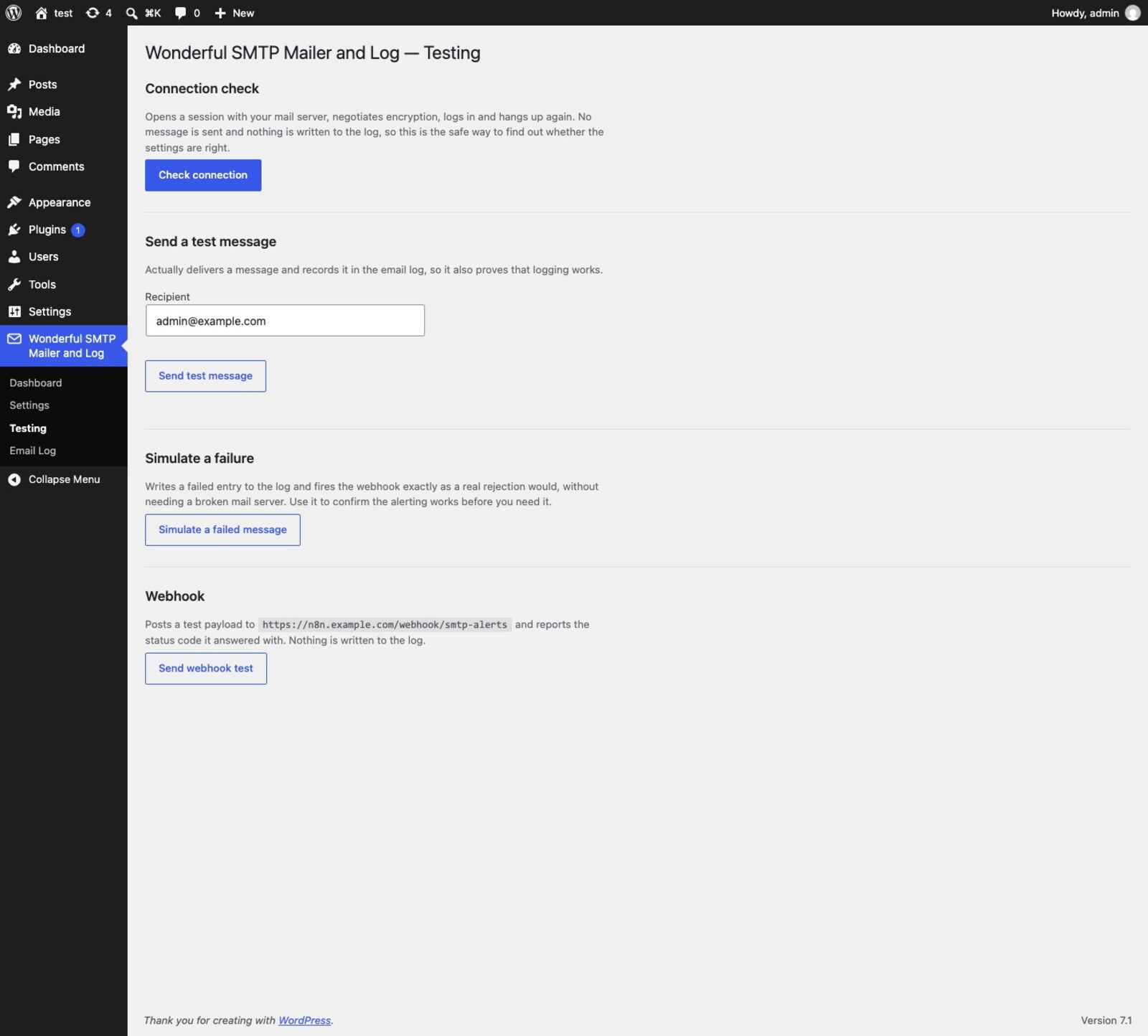
- A connection check that logs in to your mail server and hangs up without sending anything.
- A test message that shows you the actual SMTP conversation — when a server answers “535 5.7.139 Authentication unsuccessful”, you read that line instead of guessing.
- A failure simulation and a webhook test, so you can prove the alerting works before you need it.
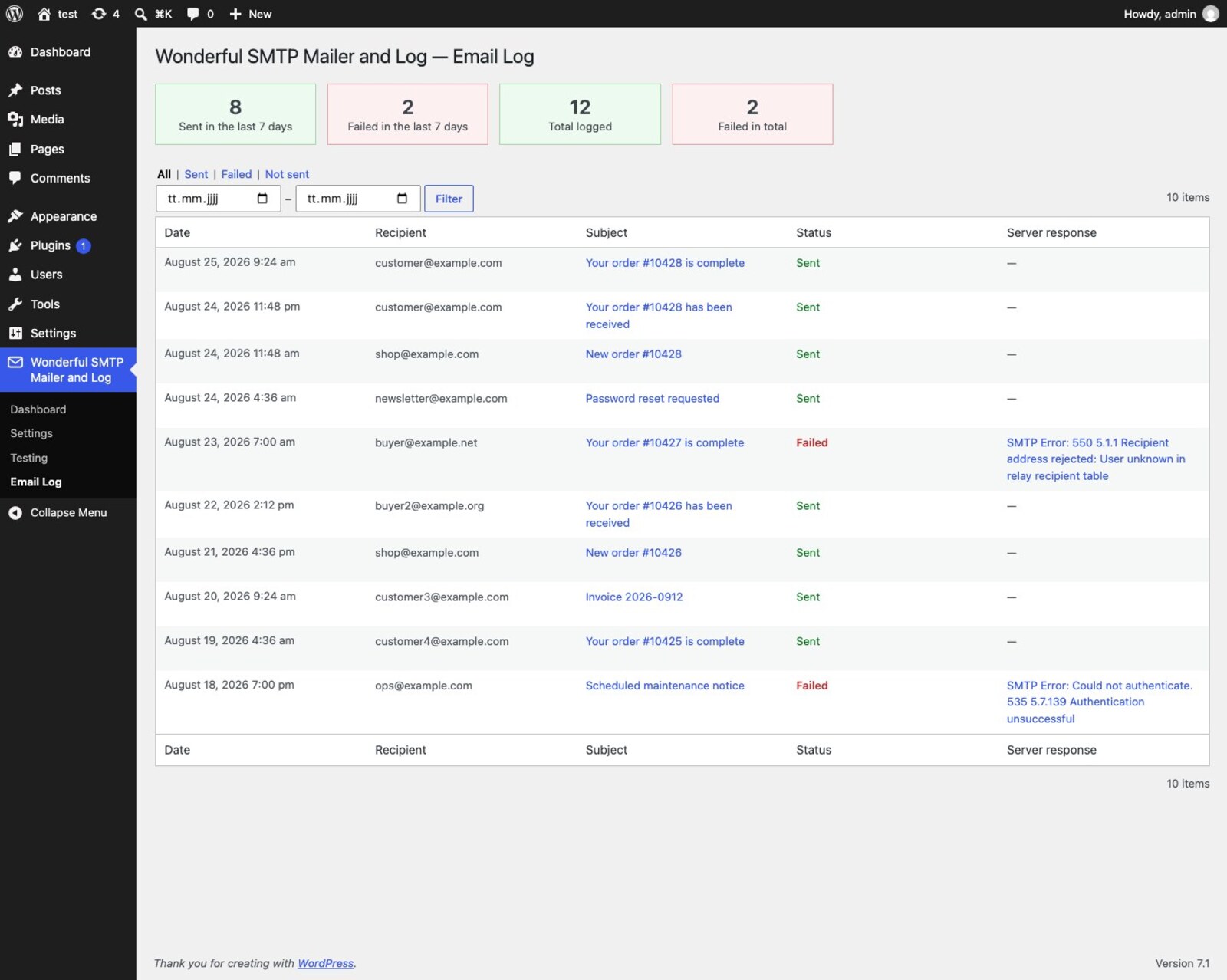
- An email log with delivery counts, a date range filter, full-text search across recipient, subject and message body, downloadable attachments and a resend button.
- A log-only mode that records every message and hands none of them to the mail server — the setting a staging site needs.
- An optional webhook that fires on failure, so Zapier, n8n, Make or your own endpoint can raise an alert.
What it deliberately does not do
No API providers, no OAuth, no fallback connections, no deliverability score, no dashboard widget, no newsletter integration, no pro tier, no advertising for one, and no upsell notices. If you need those, one of the big plugins will serve you better, and that is a fine outcome.
Configuration from wp-config.php
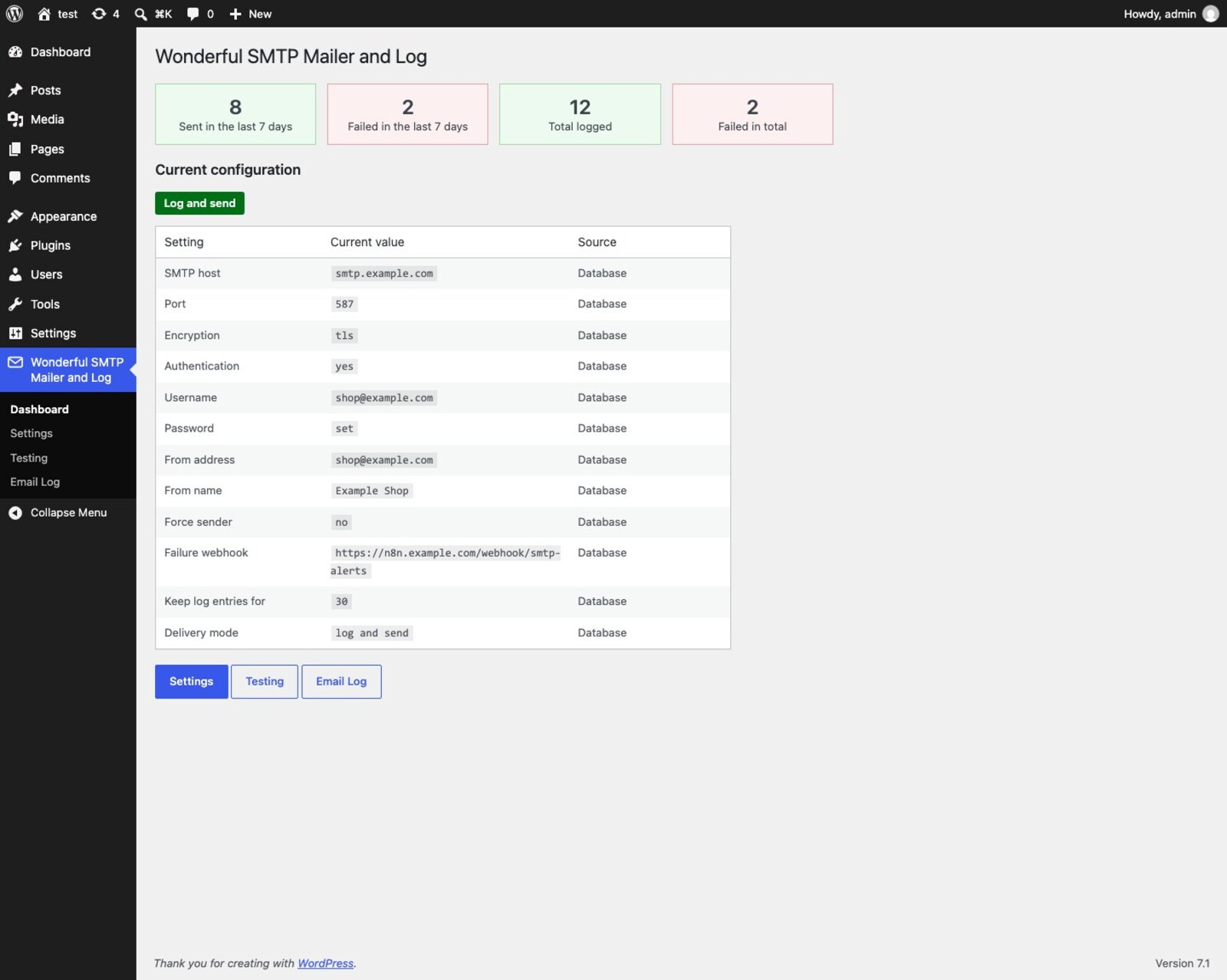
Every setting can come from a constant instead of the database, following one mechanical rule: the option name in upper case. That keeps credentials out of the database and out of any dump copied to a staging site, and lets a Docker container pass them in as environment variables.
define( 'WONDERFUL_SMTP_MAILER_AND_LOG_HOST', getenv( 'SMTP_HOST' ) );
define( 'WONDERFUL_SMTP_MAILER_AND_LOG_PORT', (int) getenv( 'SMTP_PORT' ) );
define( 'WONDERFUL_SMTP_MAILER_AND_LOG_USERNAME', getenv( 'SMTP_USERNAME' ) );
define( 'WONDERFUL_SMTP_MAILER_AND_LOG_PASSWORD', getenv( 'SMTP_PASSWORD' ) );
A defined constant always wins, the dashboard shows which values arrived that way, and the matching field is displayed read-only so the two cannot silently disagree.
Testing without sending
The testing screen answers “are the host, port, encryption and credentials right?” without putting a message into anyone’s inbox — and if something is wrong, it shows you the server’s own words rather than a generic error.
The email log
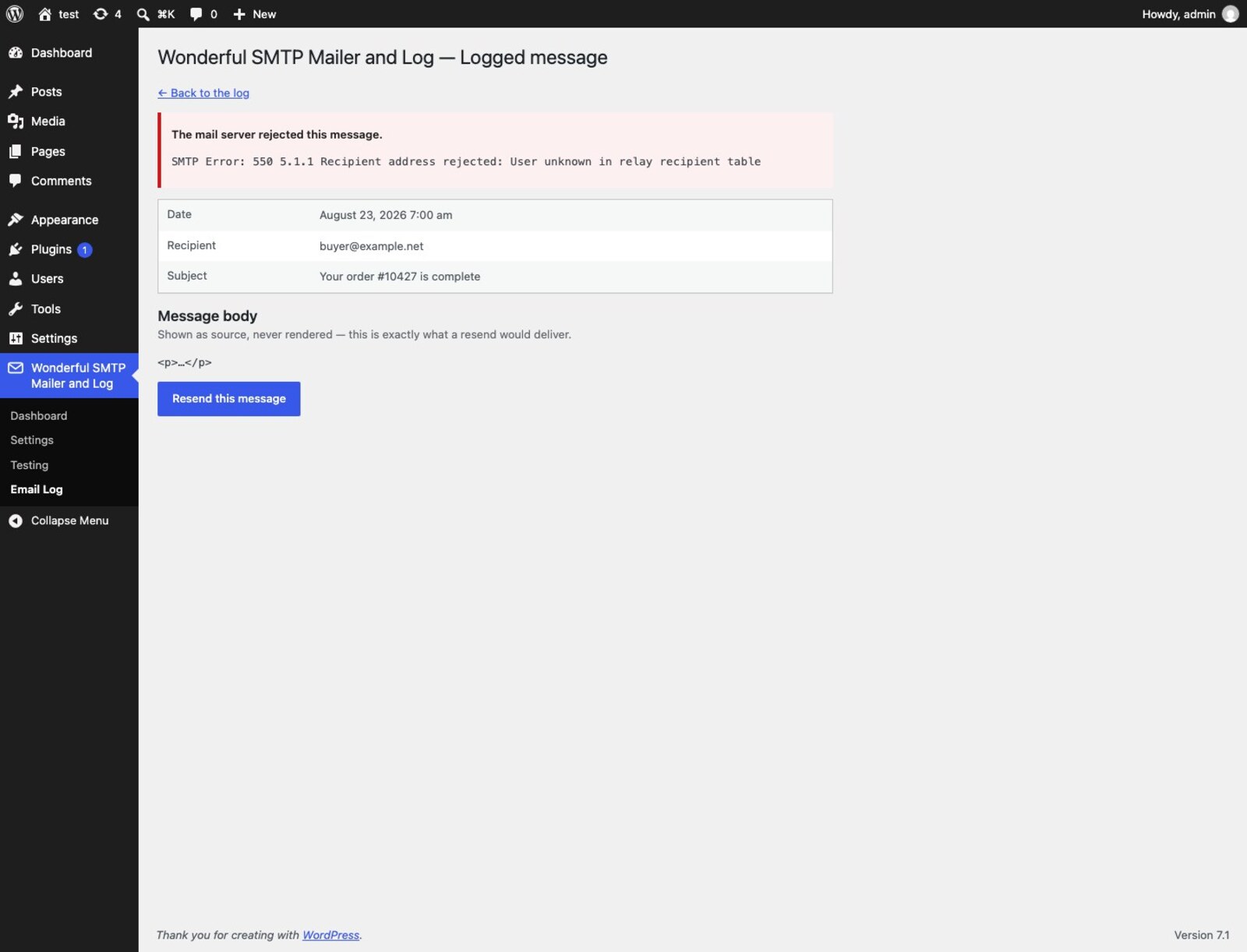
Date, recipient, subject, status and the server’s response. Filter by period, search across recipient, subject and body, and open any message to see exactly what a resend would deliver.
Safety rails
- With no SMTP host configured the plugin stays out of the way entirely and WordPress keeps using PHP
mail()— installing it cannot take your email down. - The stored password is never written into the HTML of the settings form. A toggle next to the field fetches it on request, so it stays out of the page source, the browser cache and any screenshot until you deliberately ask.
- “Force sender” is off by default, so plugins that set their own sender on purpose keep it.
- Resending is a manual button. Nothing retries by itself, so a failing server can never turn into a mail loop.
- No runtime dependencies. The plugin uses the PHPMailer that ships with WordPress itself — there is no vendor directory and nothing to keep patched.
Privacy
The plugin has no vendor backend, sends no telemetry and phones home nowhere. It contacts exactly two endpoints, both of which you configure yourself: your SMTP server, and — only if you fill in the field — your own failure webhook. The webhook payload carries the site URL, the recipient, the subject and the error the mail server returned; no message body and no credentials. Message contents and log entries stay in your own database.
Requirements
- WordPress 6.2 or newer
- PHP 7.4 or newer
Available in English and German (de_DE, de_AT, de_CH). Released under the GPLv3.