
Wonderful PDF Workshop
Compress, combine, split PDFs. Make PDFs small enough for e-mail, put scanned fronts and backs back in order, merge and split – 100 % offline, without uploading a single page.
Version 1.0 · macOS 13+ · Apple silicon · English and German
On the Mac App Store. One-time purchase, no subscription.
A native macOS app with the five PDF tools office work needs every week: compress, scan stacks, merge, split and arrange pages – all in one window, all on your Mac.
Contracts, invoices and medical letters stay on your Mac: no account, no server, no upload, no tracking. Every result is saved as a new file; your originals are never overwritten.
Get it
Wonderful PDF Workshop is on the Mac App Store. One-time purchase – buy once, use for good. No subscription, no in-app purchases, no account.
It is sold through the Mac App Store, so updates arrive the way every other app updates.
Why we built it
Making a PDF smaller or putting a duplex scan in order usually means uploading the document to a website or paying for a subscription. For contracts and medical letters, neither is a good idea. These jobs belong on your own Mac, in one app you pay for once.
Compress – text stays text
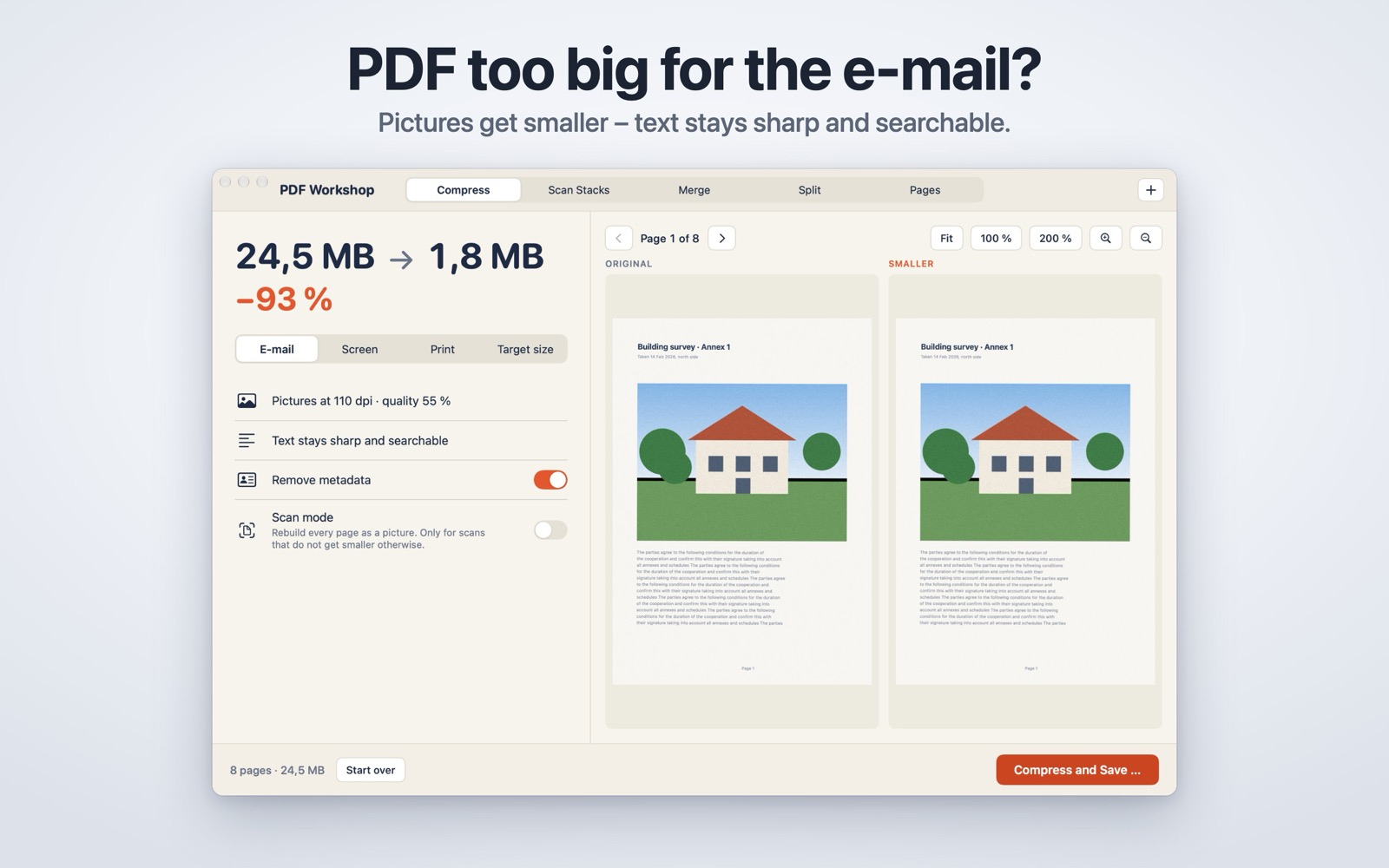
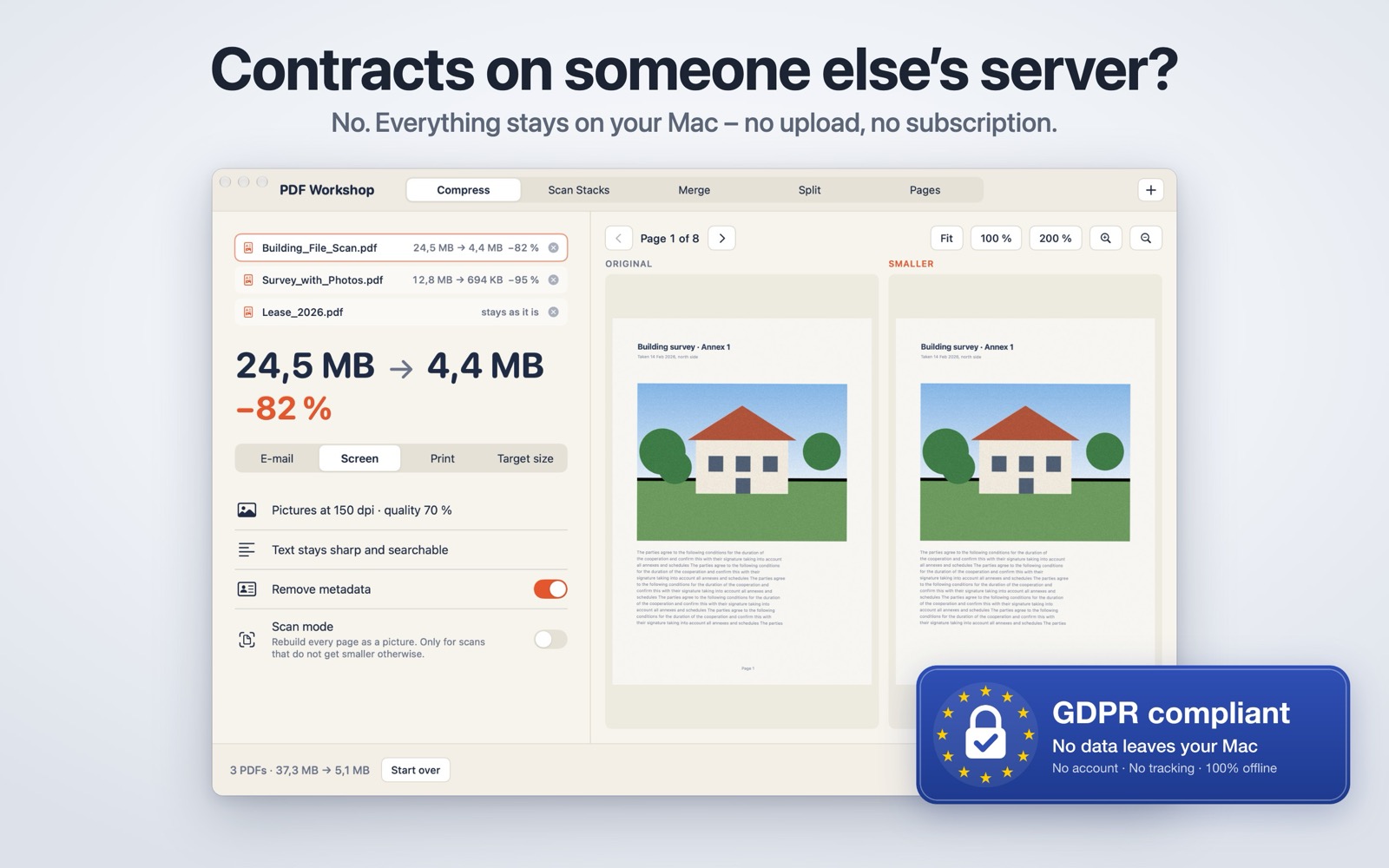
Drop one PDF or a whole pile. Pick E-mail, Screen or Print, or type a target size in MB and the app looks for a quality that fits. Only the pictures inside the PDF are scaled down and re-encoded; text and drawings are left alone, so the text stays sharp, searchable and selectable.
Before anything is saved you see the size before and after and can compare original and result side by side, zoomed in together. If a PDF does not get smaller, the app says so and keeps the original. For stubborn scans there is an optional scan mode that rebuilds every page as a picture – clearly marked, because the text then can no longer be selected.
What it does
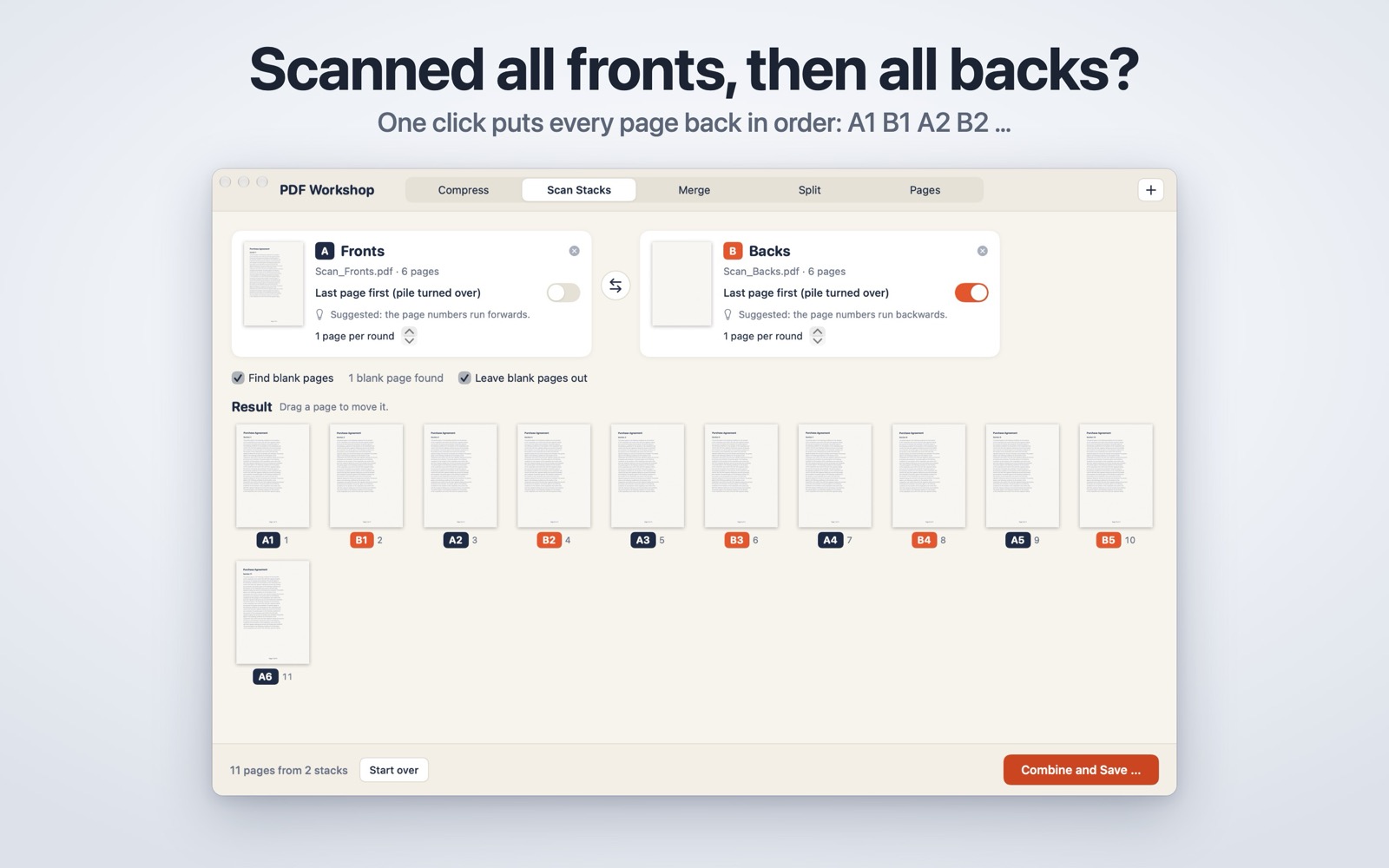
- Scan stacks: your scanner only does one side? Scan all fronts, turn the pile over, scan all backs. Drop both PDFs (or one PDF holding both halves) and the app lays the pages out as A1 B1 A2 B2 … It suggests whether the backs lie in reverse, from the printed page numbers – even on scans, read on your Mac. Blank pages are suggested and can be left out without anything shifting; stacks of different length are pointed out. Drag any single page to another place, then “Combine and Save”.
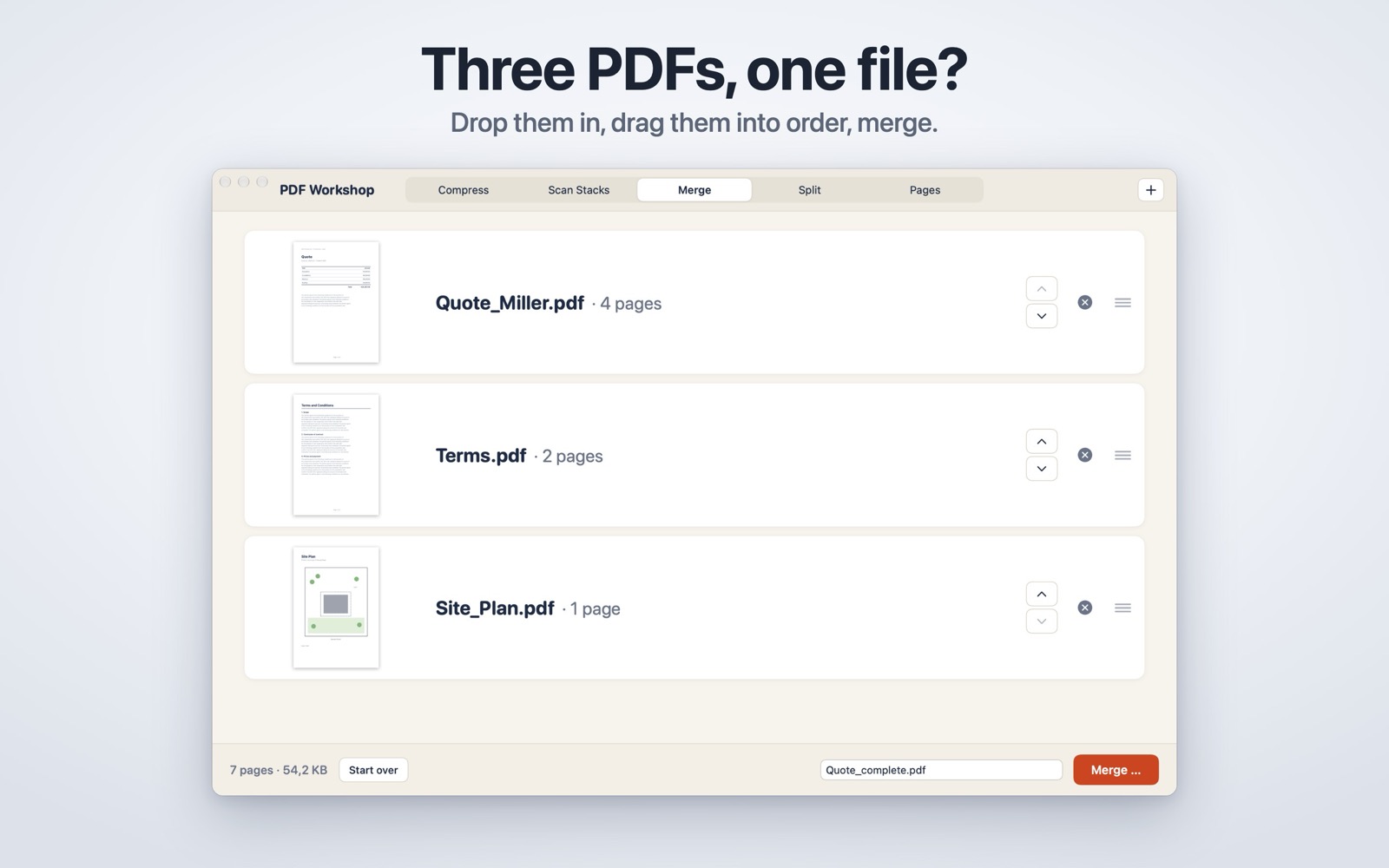
- Merge: several PDFs into one, in the order you drag them.
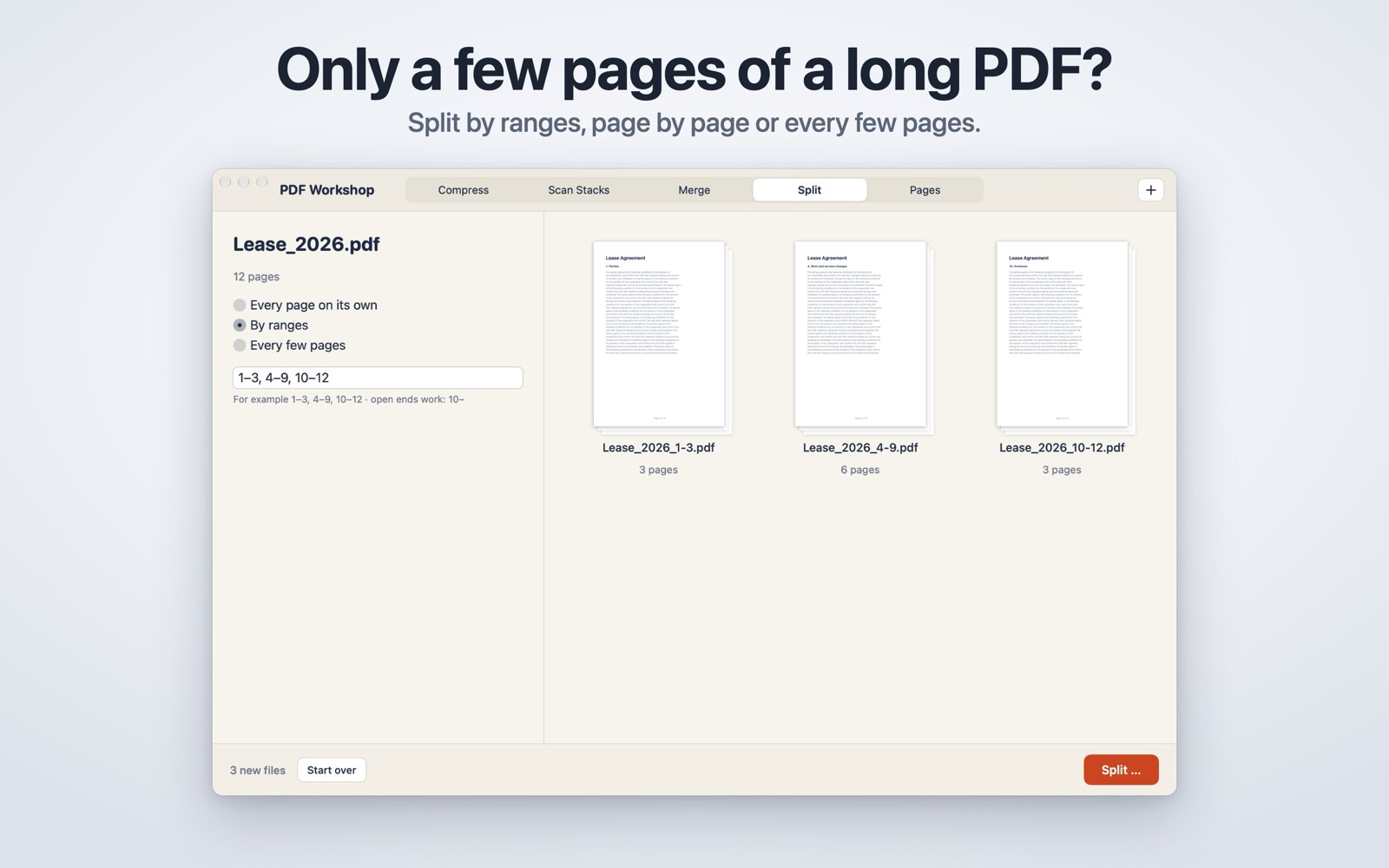
- Split: every page on its own, by ranges like 1–3, 4–9, 10–12, or every few pages.
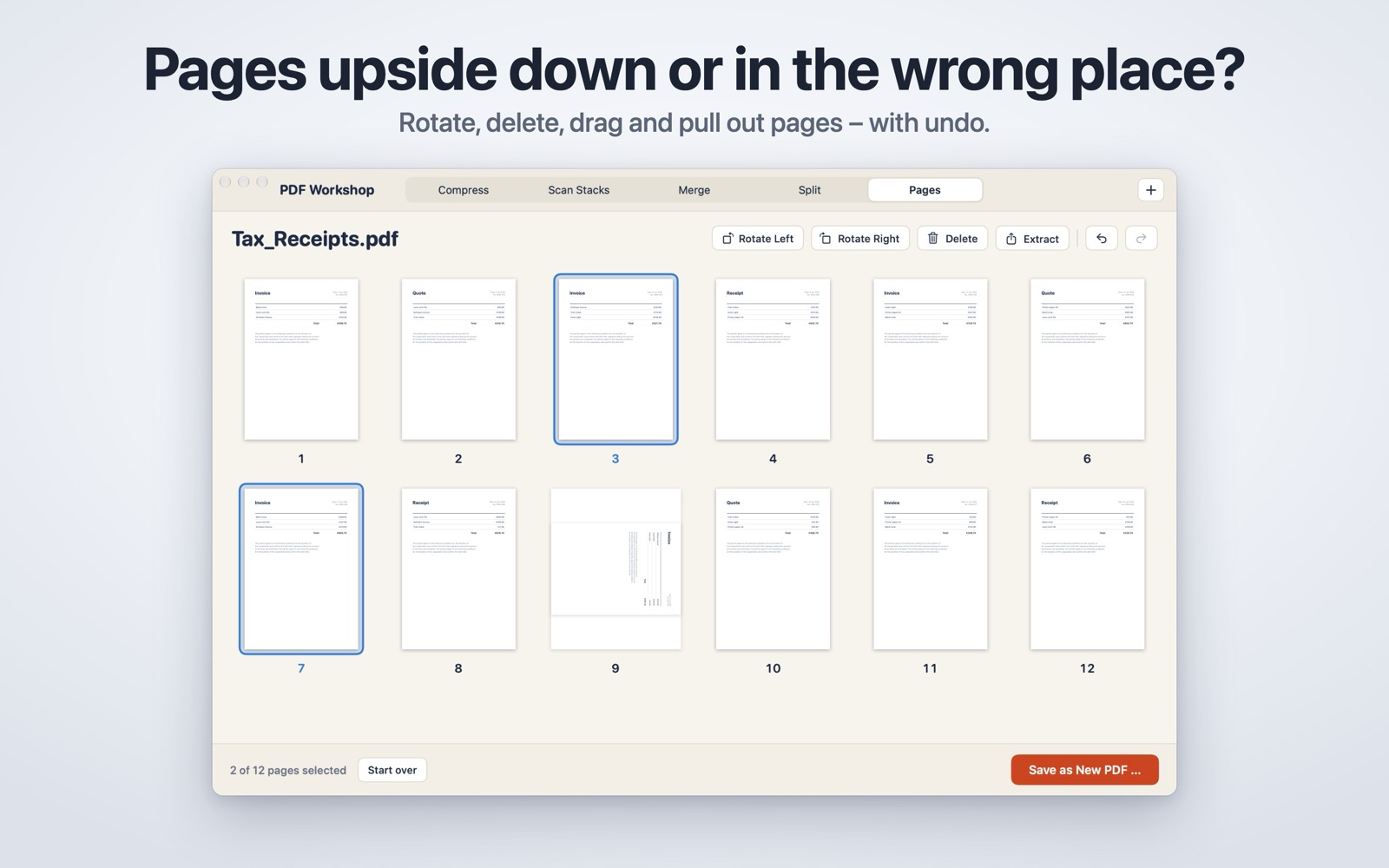
- Pages: rotate, delete, reorder and pull out pages in a grid, with undo.
- Your originals are safe: every result is a new file – “Contract – smaller.pdf”, “Scan – combined.pdf”. The app never writes over a file you opened. Optionally remove author, title and other metadata when compressing.
- Open PDFs by dropping them on the window or the Dock icon, with File › Open or “Open With” in Finder. Keyboard shortcuts for every tool (⌘1–⌘5) and for the page commands.
Privacy and permissions
GDPR compliant, because local: 100 % offline, no account, no server, no upload, no tracking – the app has no network access at all. It is sandboxed and only reads the PDFs you open or drop, and writes where you point the save panel. Page numbers on scans are read with the text recognition built into macOS, on your Mac; nothing is stored or sent anywhere.
What it deliberately does not do
It never changes, overwrites or deletes your originals. It uploads nothing and has no account, no subscription, no analytics and no network code of any kind.
Requirements
macOS 13 (Ventura) or newer on Apple silicon. English and German, following the system language.
Screenshots
Questions, bug reports, feature requests, or feedback? Get in touch!