
Noffi – Doomscroll Habit Helper
The cat that closes your doomscrolling tab.
Free beta, version 0.8.5, for Macs with Apple silicon
We are still testing. Tell us what annoys you.
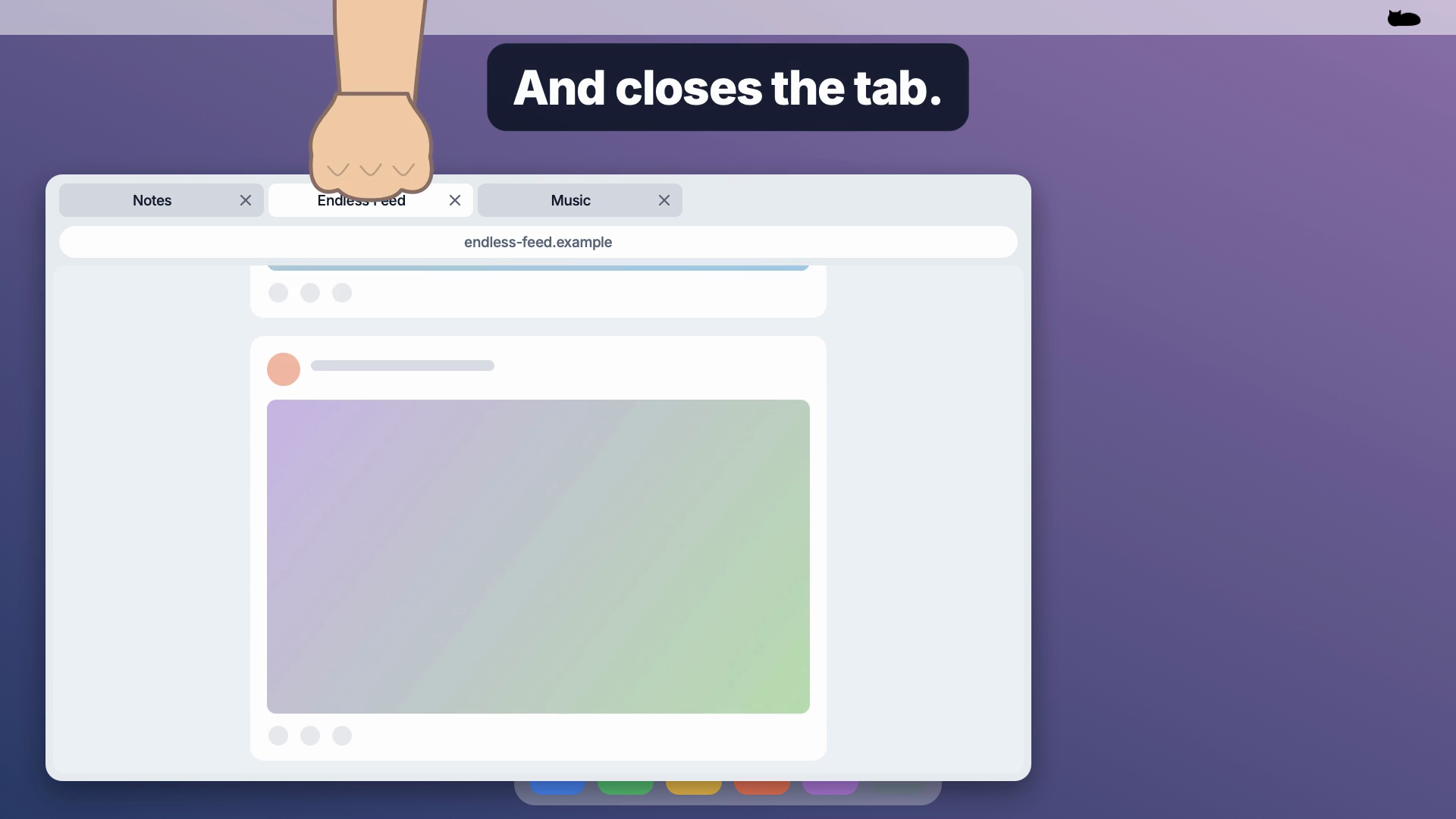
Noffi sleeps on your desktop. When you keep doomscrolling, Noffi wakes up, closes the tab and goes back to sleep.
One more scroll. Just one. And suddenly, an hour is gone. You know the habit, and you keep falling back into it. Noffi helps you break it by stepping in at that exact moment: not a blocker that stops you before you open a page, but someone who says no while it is happening.
Which of your friends needs Noffi?
Why Noffi
- You decide beforehand. Pick how long is enough, then let someone else keep count.
- Friendly, not strict. A sleeping cat with a soft snore and a quiet purr instead of warning windows.
- It breaks the habit where it happens. Noffi interrupts the loop you keep sliding into, right while you are in it.
How it works
- Noffi sleeps on your desktop. Drag it anywhere you like.
- Choose which feeds count and pick your time, from 1 to 60 minutes (15 by default).
- While you scroll, Noffi counts along and keeps one eye on you.
- Time is up: Noffi wakes up, walks off the screen and a paw closes the tab.
- Then Noffi walks back and lies down again.
Make it yours
- Cat or dog, with your choice of coat, pattern, eyes and size.
- What happens at the end: close the tab, close the window, quit the browser, or just remind you.
- Two more minutes if you really need them, when Noffi only reminds you.
- Quiet or not: snoring and sounds can be turned off.
Permissions and privacy
To recognise a feed and close its tab, Noffi needs your permission once in System Settings, under Privacy & Security (Accessibility, called Device Control and Data Access on macOS 27). Your browser may also ask for automation access. Without permission, Noffi only reminds you.
Your scrolling stays on your Mac. No account, and no data about you or your browsing is sent anywhere. Page addresses are only read to recognise a feed and are never stored. Noffi only contacts this website to check for a new version.
What Noffi is not
- Not a site blocker. You can open any page, at any time.
- Not a medical or therapy app.
- Not finished. This is a beta, so expect rough edges.
Requirements
A Mac with Apple silicon and macOS 13 or later. To install, open the download, drag Noffi to Applications and open it. Noffi tells you when a new version is available.
Questions or feedback on the beta? Get in touch.