
Wonderful Noise Log
Noise from next door? Put your iPhone down: the app logs every noise with time, duration, level and kind – and turns it into a PDF protocol. 100% offline – no account, no server, your data stays on your iPhone.
Version 1.1 · iPhone and iPad · iOS 17 or later · 8 languages
An iPhone app for anyone bothered by noise from next door who needs a record for the property manager or landlord: when, how long, how loud – and what.
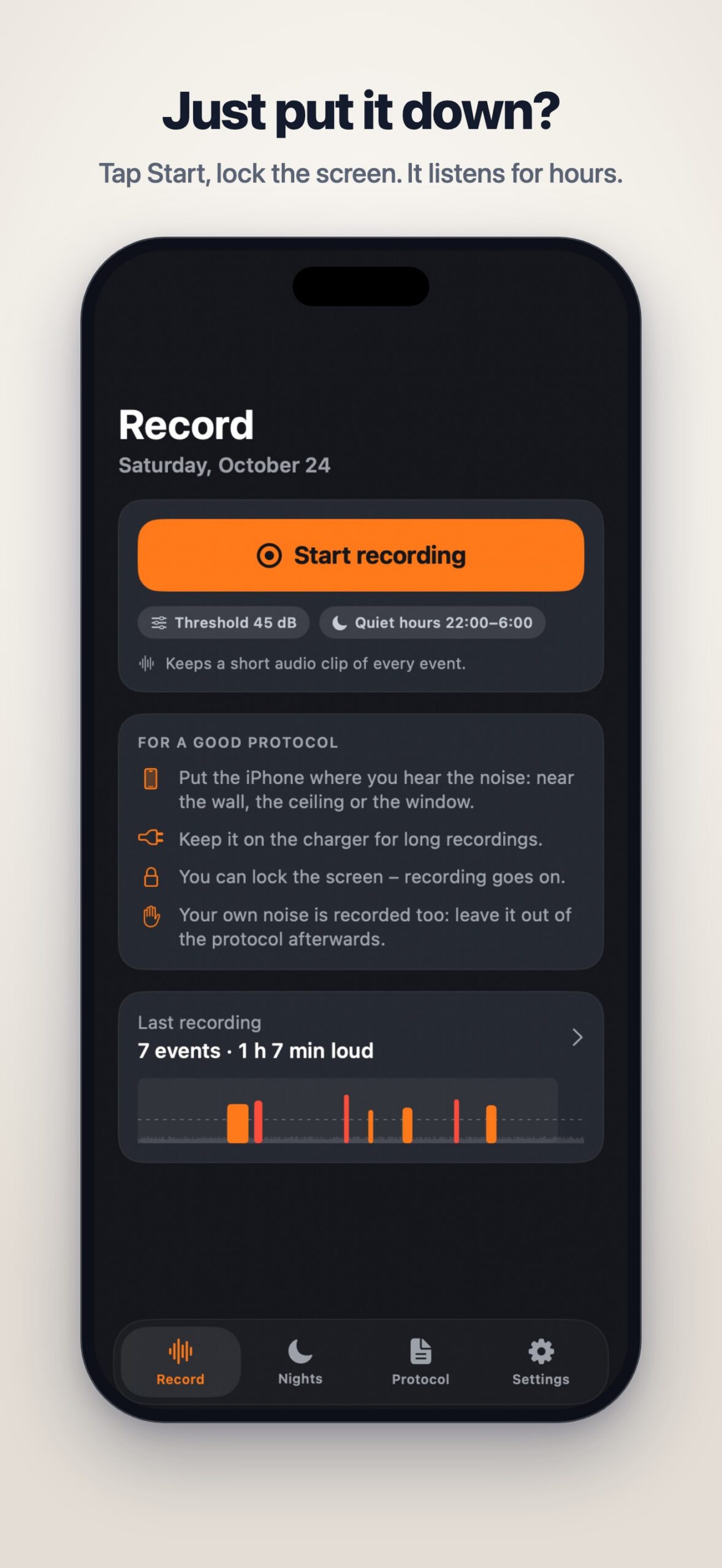
Put your iPhone where you hear the noise – by the wall, under the ceiling, at the window – and tap “Start recording”. The screen may be off. The app listens for hours; every noise above your threshold becomes an event: start and end to the second, duration, peak level and average.
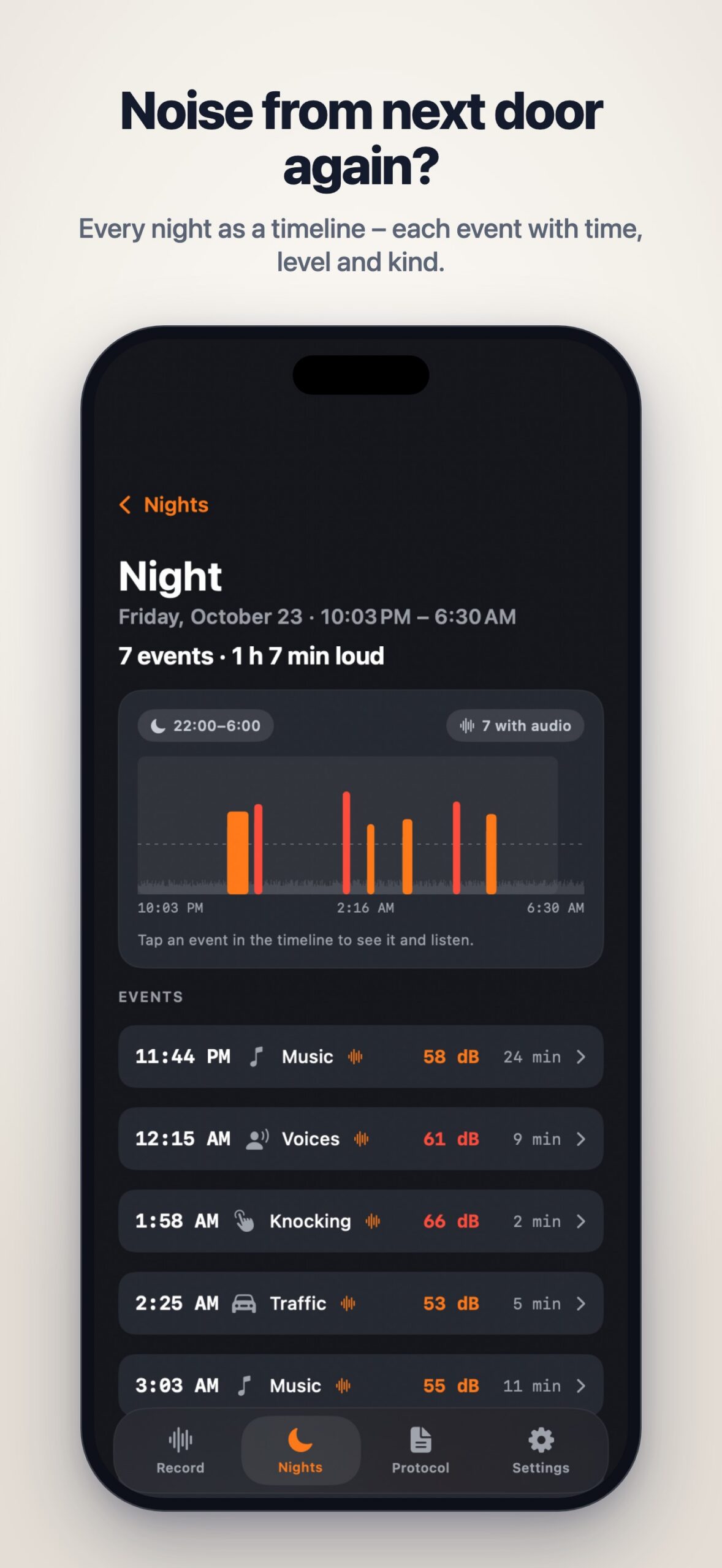
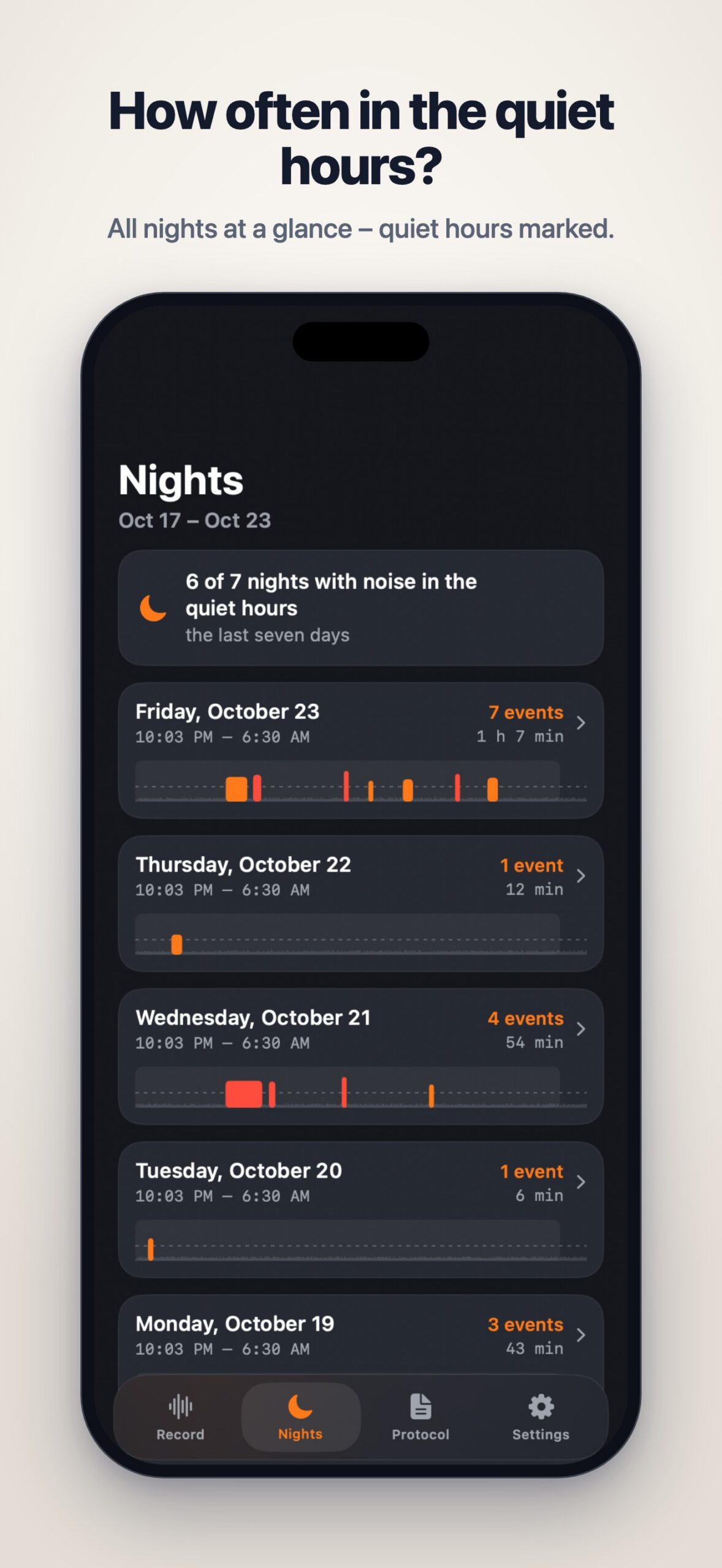
In the morning you see the night as a timeline with the quiet hours marked, and every event below it. Tap one to hear its short clip. Then pick a period and share it as a PDF protocol – ready to sign.
Get it
One-time purchase, no subscription, no in-app purchases. Available now on the App Store.
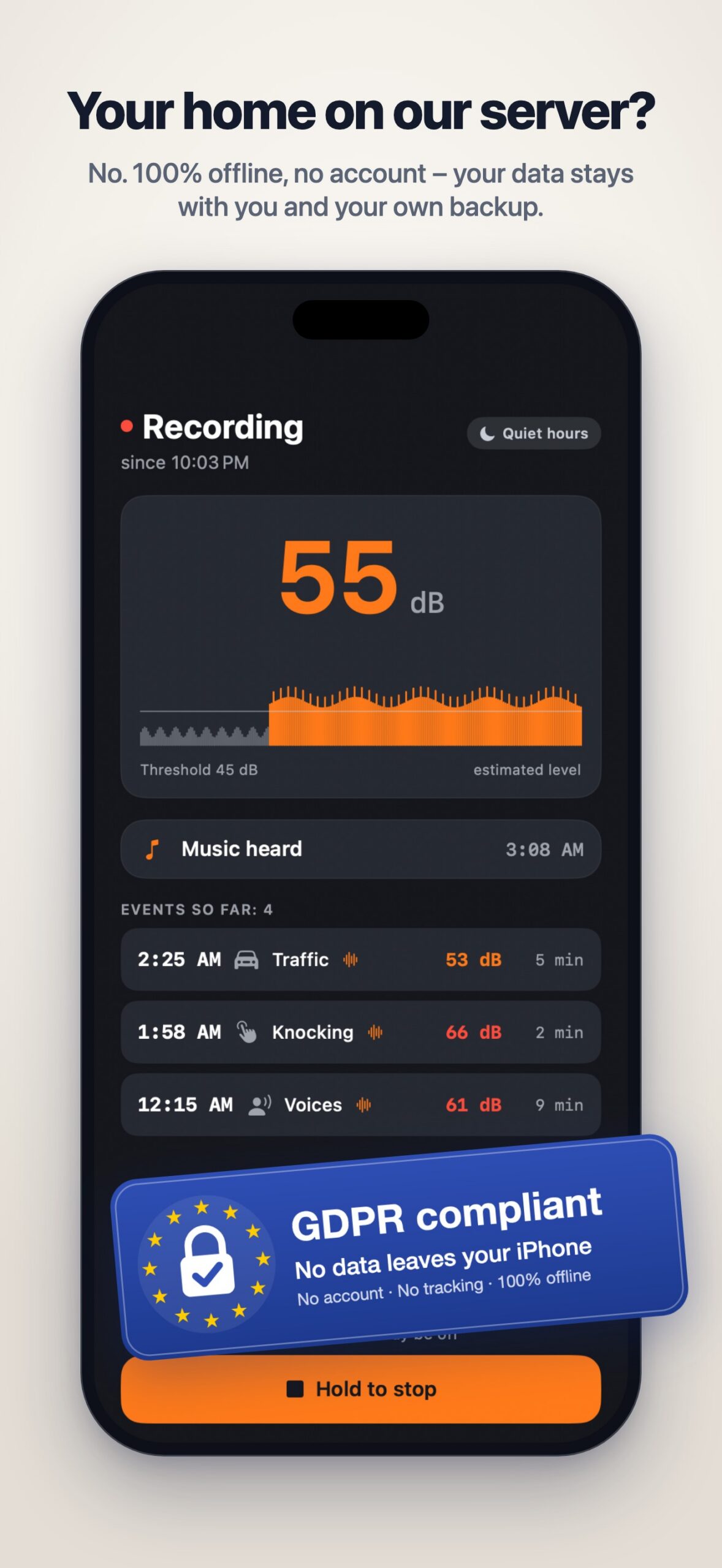
100% offline. GDPR compliant.
The app makes no internet connection at all and works in airplane mode. Recognition runs right on your iPhone. No account, no server, no ads, no tracking. Your recordings, events and notes stay on your iPhone and – if you like – in your own iPhone backup (iCloud or your computer), which you can switch off in Settings. Of the audio, the app keeps only the seconds around each noise, never the whole night, and deletes these clips after 30 days (adjustable, or switch clips off); the events stay. Nothing is shared unless you tap the share button.
How it works
- Put your iPhone where you hear the noise and tap “Start recording”. Recording goes on with the screen locked and shows on the lock screen.
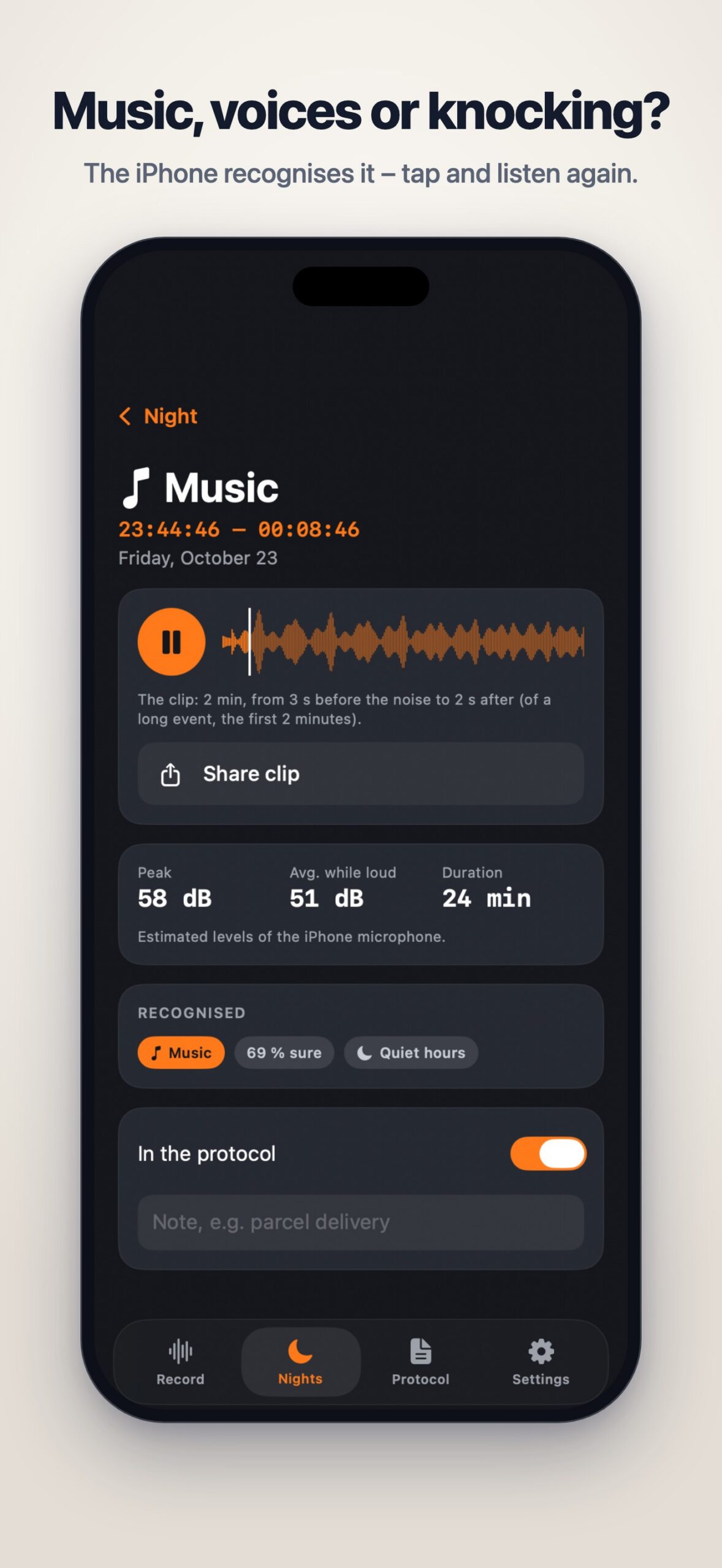
- Every noise above your threshold becomes an event, sorted on the device: music, voices, knocking, a dog, tools or traffic.
- Your own noise, the parcel delivery, your own door? Leave it out of the protocol with one tap, and add a note.
- To stop, press and hold – no stopping by accident. After a call recording starts again; if it can’t, the app tells you.
What you get
- Every night as a timeline with the quiet hours marked (night 22:00–6:00, midday rest 13:00–15:00 if you like)
- Each event with start, end, duration, peak and average level, kind and a short clip to listen to
- “5 of 7 nights with noise in the quiet hours” – at a glance
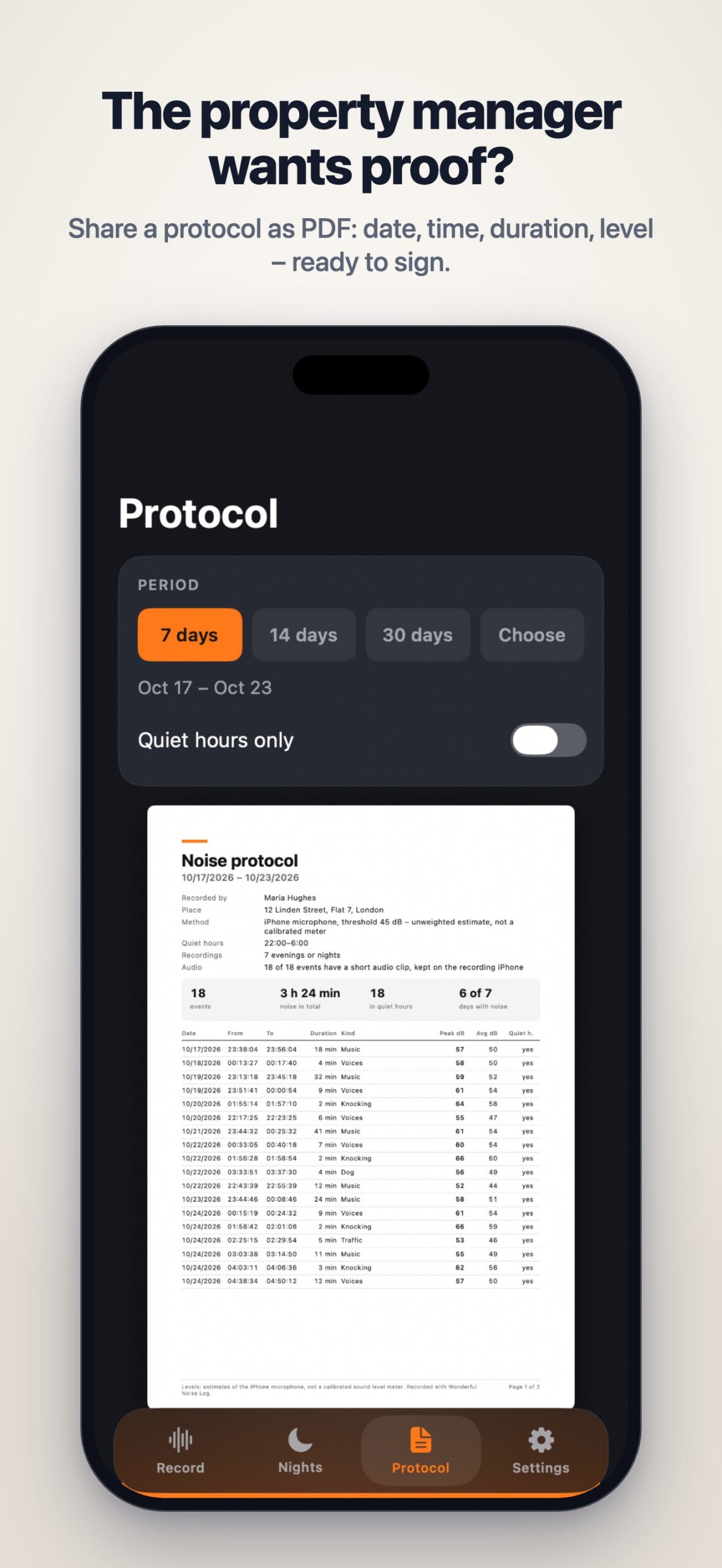
- A PDF protocol for 7, 14, 30 days or your own dates: optional name and address, summary, table of all events, lines for place, date and signature
- Also as a table (CSV); clips can be shared as audio files
- Clips deleted automatically after 30 days if you like; the events stay
Permissions
Microphone only – to measure the noise while you record. Nothing else: no location, no contacts, no network.
What it is not
Levels are estimates of the iPhone microphone, not a calibrated sound level meter – if you have one, you can match the app to it. The app records and lists; it is not legal advice. Please respect other people’s privacy: record noise, not conversations.
Screenshots
Requirements
iPhone with iOS 17 or later. For a whole night of recording, keep it on the charger.
Questions, bug reports, feature requests, or feedback? Get in touch!