
Wonderful Open in Terminal
Open the folder you are looking at. One click.

Version 1.1.0 · macOS 13+ · Apple silicon
Now on the Mac App Store.
You are three folders deep in a Finder window and you need a shell right there. macOS has no button for it.
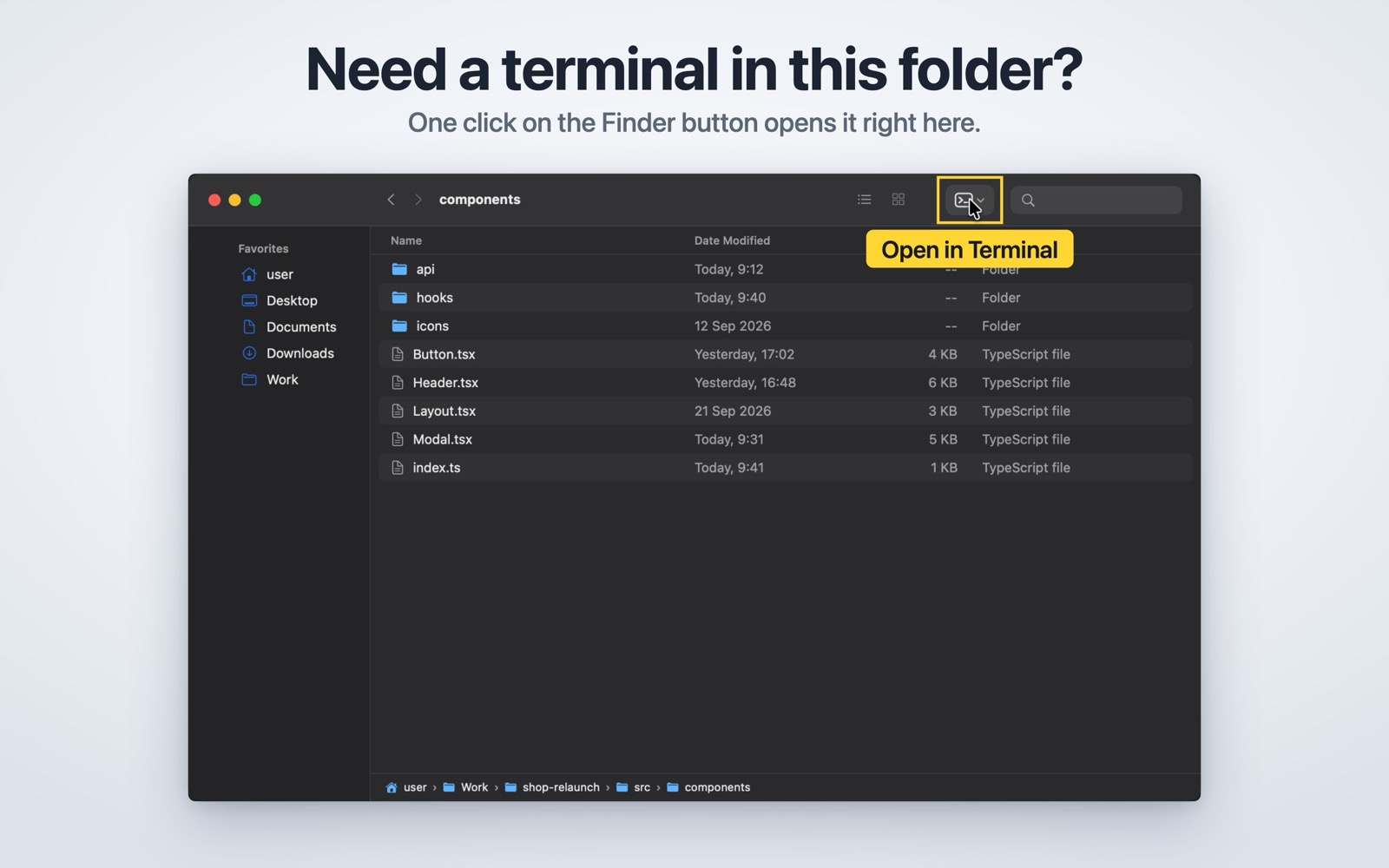
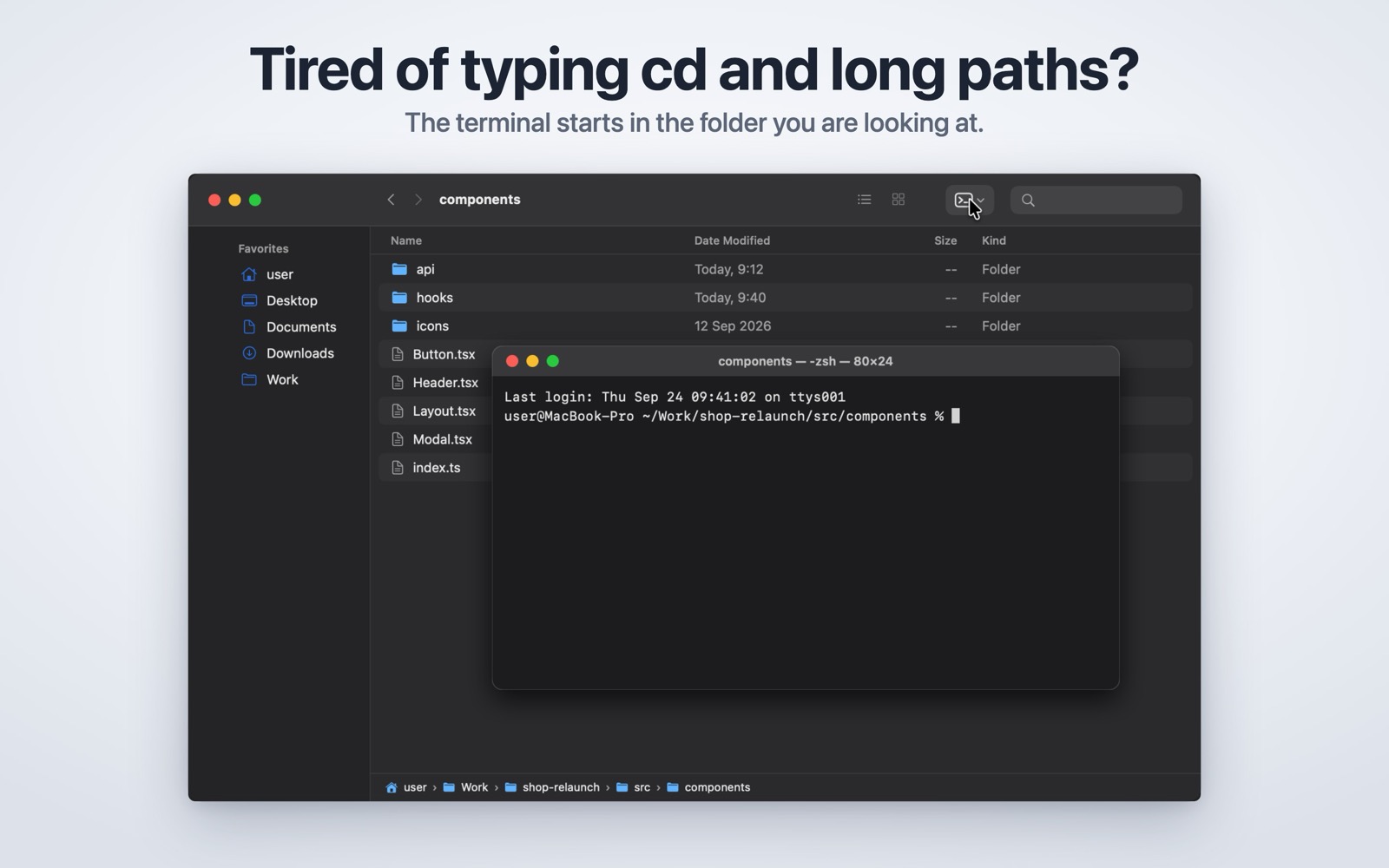
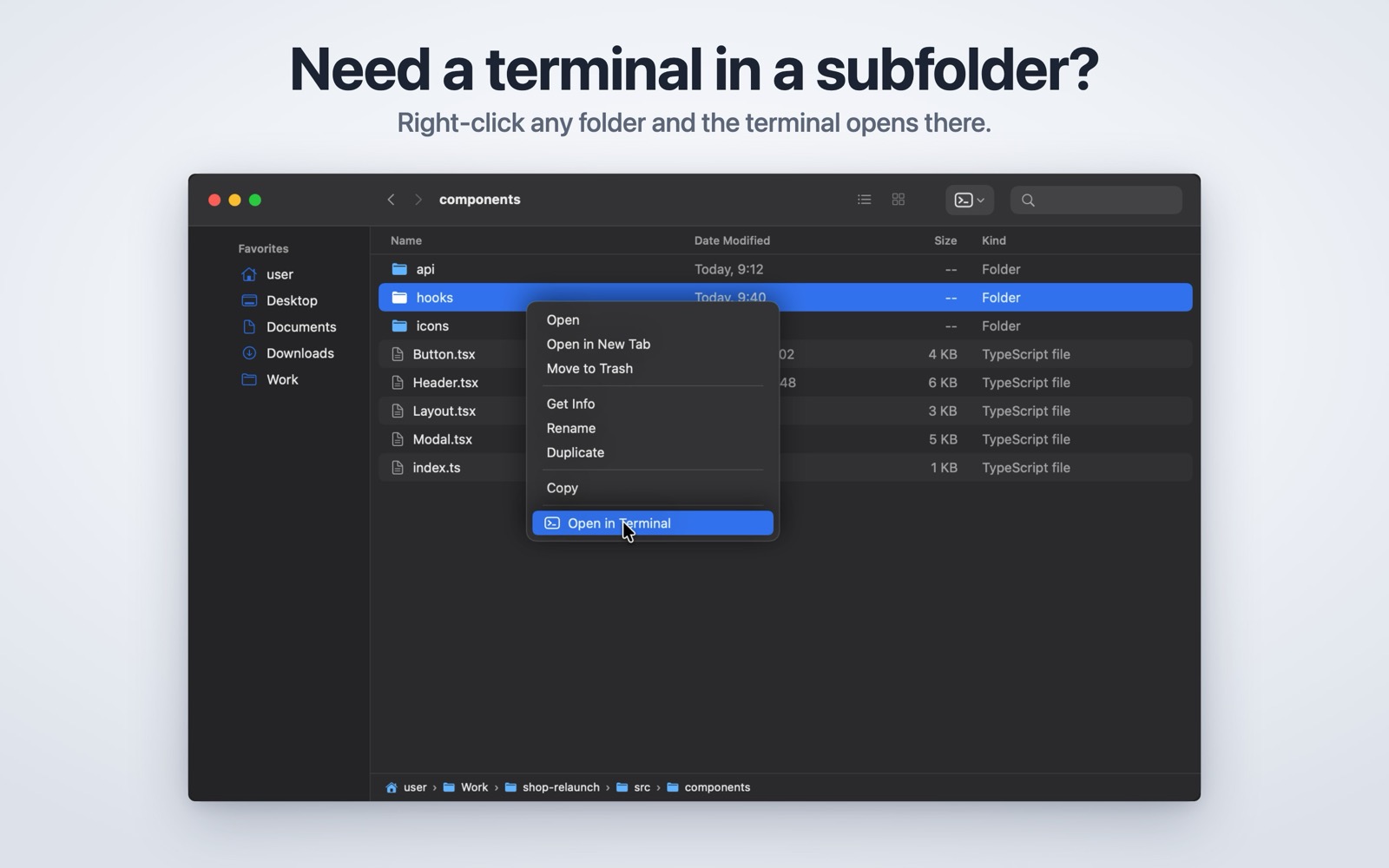
You can right-click a folder you can see and send it somewhere. The folder you are already inside is not on offer: you type cd, you drag the folder into a terminal window, or you retype the path. Twenty times a day. This app puts that one button in the Finder toolbar.
Get it
- Get it on the Mac App Store.
- Requires macOS 13 (Ventura) or newer on a Mac with Apple silicon.
The gap it fills
macOS is generous with folders you have selected and silent about the one you are in. Every workaround costs the same few seconds — and the few seconds are not the point, the interruption is. You were about to run something; now you are assembling a path.
The old fix was an app you command-dragged into the Finder toolbar, which then asked Finder for the path by AppleScript. That is exactly what the App Store no longer accepts, so this version asks macOS instead, through the one interface built for it: a Finder extension that is handed the folder on screen.
Switch it on once
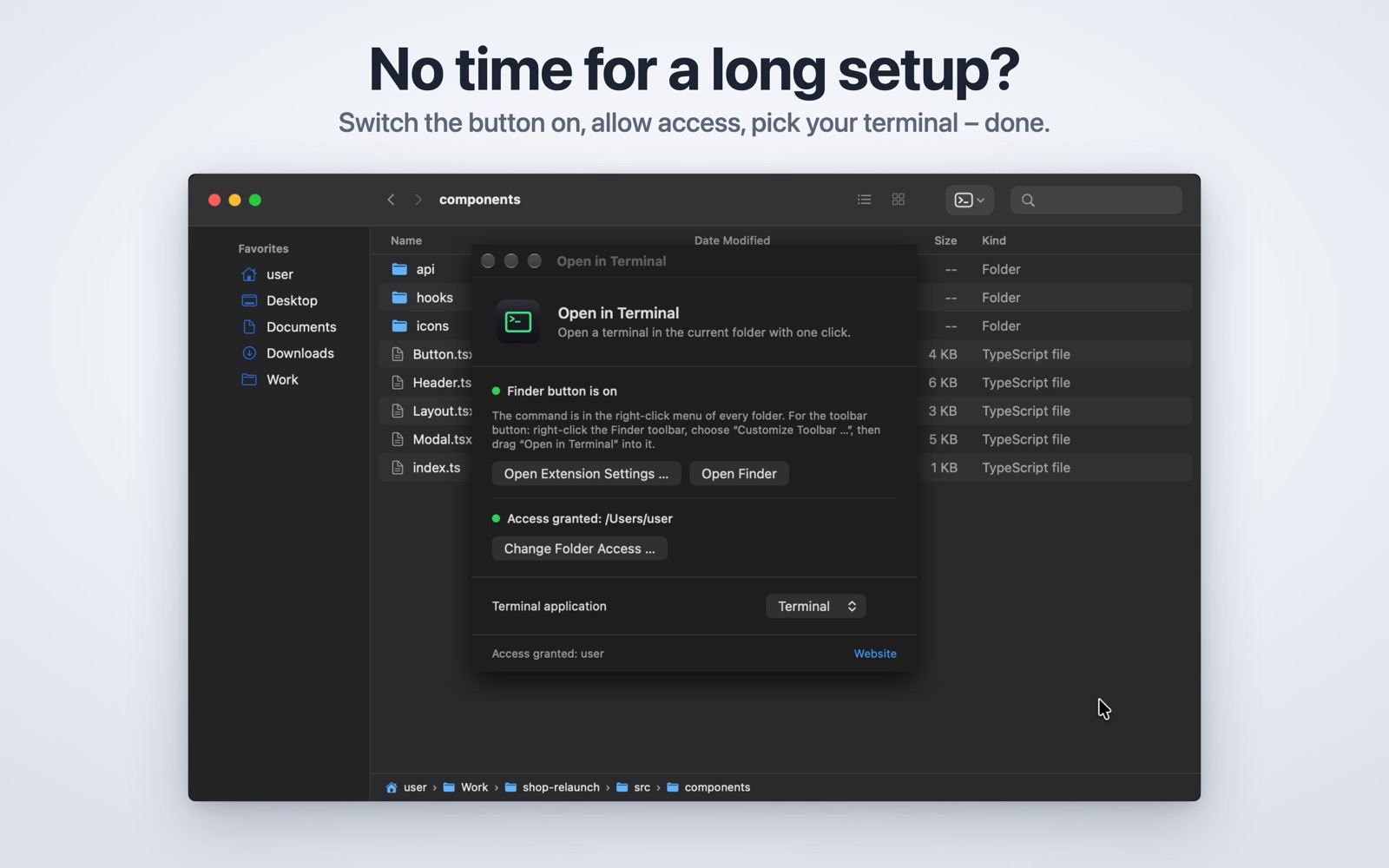
Open the app and press the button. macOS opens the right settings pane, you switch the Finder extension on, and from then on every Finder window carries the terminal button. The app’s window tells you whether it is on, so there is nothing to go hunting for.
The terminal you actually use
Terminal comes with macOS and is the default. If iTerm2, Ghostty, Warp, Alacritty, kitty or WezTerm is installed, choose it once and the Finder button uses it from then on.
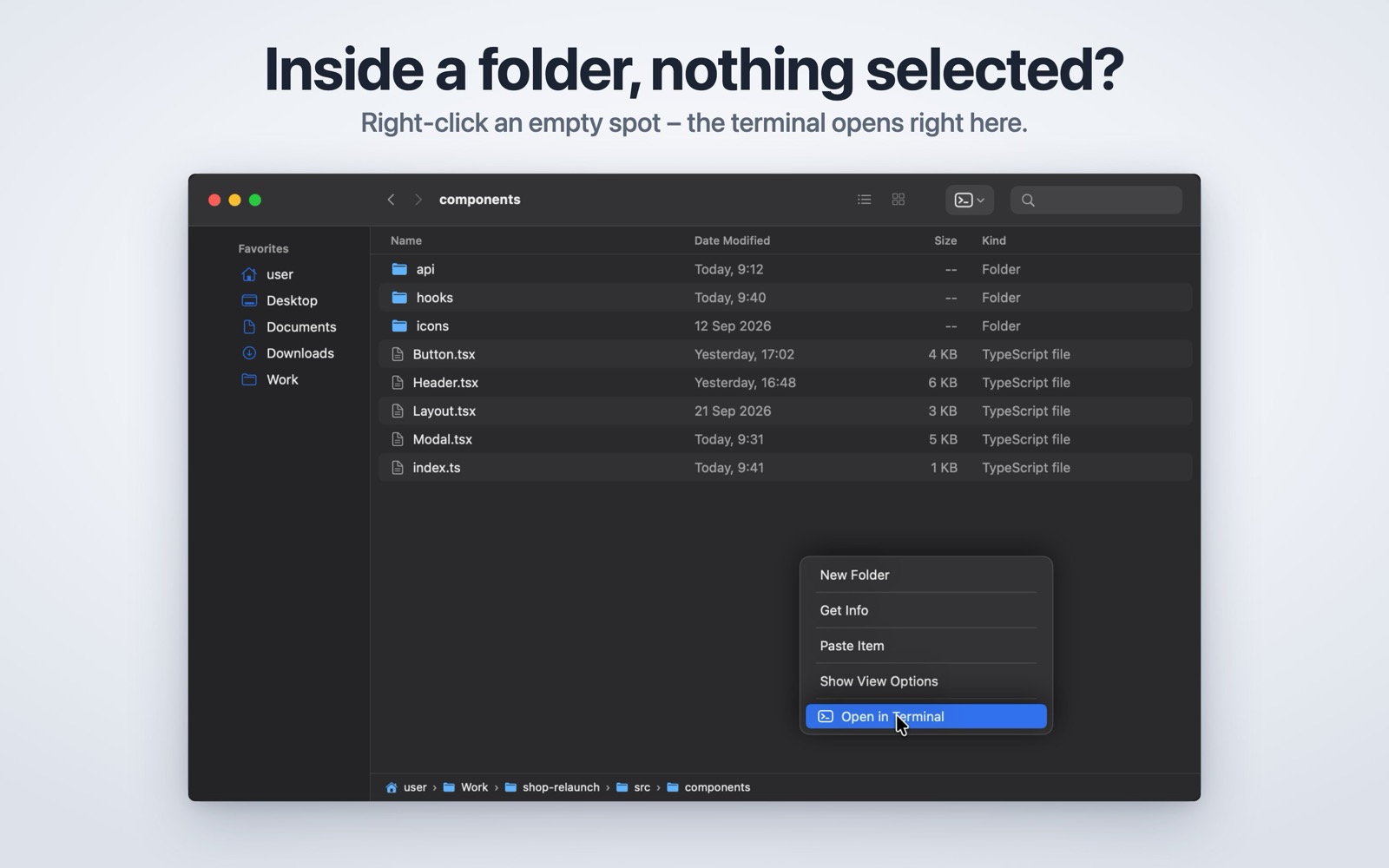
The quieter routes are there too, without being the pitch: right-click a folder and choose Services, drop folders onto the Dock icon, or pick one from the File menu. A selected file works as well — the terminal opens in the folder that contains it.
What it may do
Nothing, until you point at something. The app has no access to your files of its own; what it gets is the folder you clicked, handed over by macOS along with the permission to open it. That is why it needs no Automation permission, no Full Disk Access and no prompt on first launch.
What it deliberately does not do
It runs no commands for you. There is no script field and no saved command list, so nothing can run that you did not type. No account, no telemetry, no analytics, no network access of any kind. It remembers which terminal you chose and the last folder you opened, and nothing else.
Screenshots
Requirements
macOS 13 (Ventura) or newer on a Mac with Apple silicon. English and German, following your system language.
Questions about this tool? Get in touch.