

Wonderful Cookie and Consent Banner
Ask once. Remember the choice. Load only what is allowed.
Most consent plugins are huge. Wonderful Cookie and Consent Banner does two things: it asks the visitor once and remembers the answer in a first-party cookie, and it holds back your tracking scripts and embedded videos or maps until the visitor accepts their category. Four categories — essential, statistics, marketing, external media — and that is all a normal website needs.
Everything stays on your own server. The plugin contacts no external service, loads no remote fonts or scripts of its own, keeps no consent log and sends nothing anywhere. The only third-party requests are the ones you configure as services, and those run only after consent.
Scripts that wait for consent
A service is a name, a short description, a category and the script exactly as the provider gave it to you. Paste it, save, done. Presets fill in the snippet for the usual suspects, you only type the account ID: Matomo, Google Tag Manager, Google Analytics 4, Google Ads, Meta Pixel, Microsoft Advertising, LinkedIn Insight Tag and Microsoft Clarity.
Every service can list the cookies it sets. They are shown to the visitor under “choose individually” and deleted when consent is withdrawn. Adding a new optional service raises the consent version automatically, so every visitor is asked again.
Embedded content that waits too
Give a service the hosts its iframes come from and every matching video or map in your content stays empty behind a placeholder until the visitor loads it once or allows the category for good. No request reaches the provider before that, not even for a thumbnail. Presets for YouTube, Vimeo, Google Maps and OpenStreetMap bring the host lists; the placeholder texts are yours to edit per language, and each service can have its own placeholder image. It works with whatever put the iframe there: the block editor, oEmbed, Divi, Elementor, widgets.
Texts in as many languages as you need
Enter language codes such as de, en and every text gets one column per language. The banner picks the language of the page — the site language, WPML and Polylang all work. English and German defaults are built in. The description may contain HTML, so a link to your privacy policy is one <a> away.
Looks like your site, not like a plugin
Position on a three-by-three grid (top, middle, bottom × left, center, right), size (card, wide, or a bar across the full width), an optional backdrop that dims the page, four colors, one corner radius and the order of the two buttons. Fonts are inherited from your theme. The floating button that lets visitors change their mind later has its own colors, four built-in icons or an image of your own — or is switched off in favour of a link in the footer.
Preview without saving
The settings page renders the banner, the detail view and the embed placeholder with whatever is currently in the form. Change a color, click “Preview banner”, look, adjust, save when it is right.
Deliberately no “only essential” button
The banner offers “Accept all” and “Choose individually”. Under “choose individually” nothing optional is preselected, and saving without ticking anything means essential only.
What visitors see
The banner: accept all or choose individually. Position, size, colors and texts are yours.
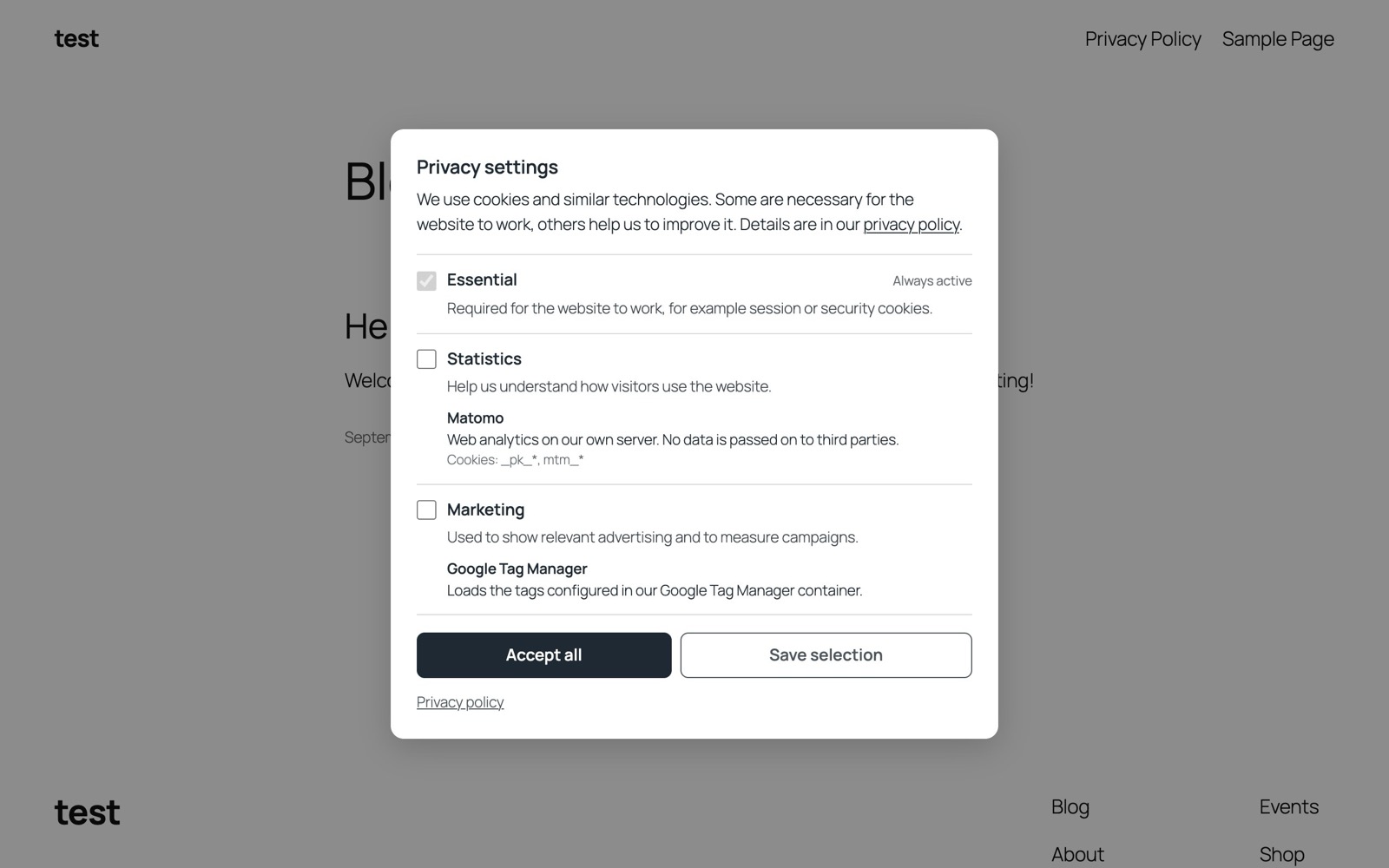
Choose individually: categories with their services and cookies, nothing optional preselected.
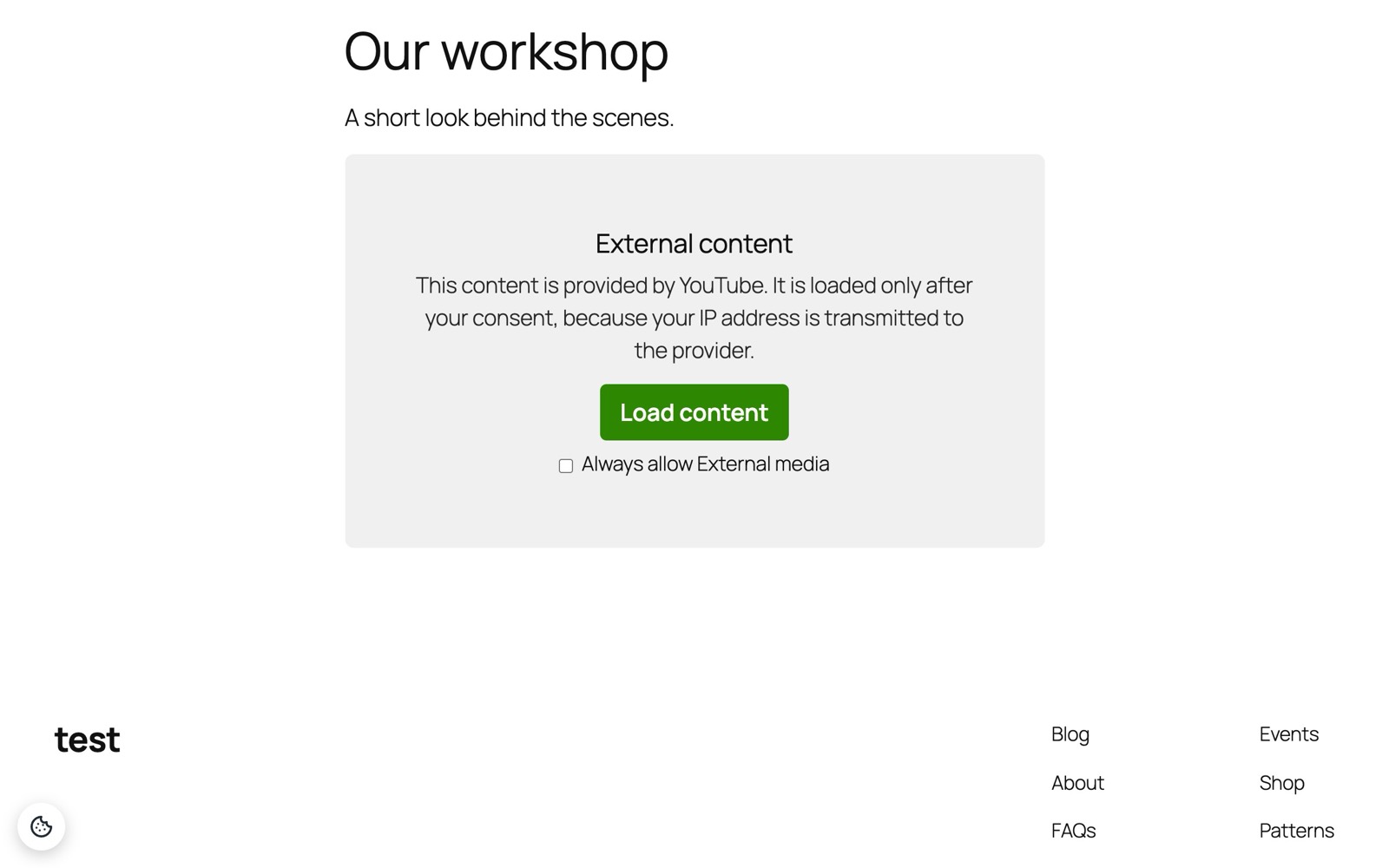
A blocked YouTube video: the placeholder explains, “Load content” loads it once, the checkbox allows the category for good.
What you set up
One settings page, four tabs, and everything you see above is a field on it.
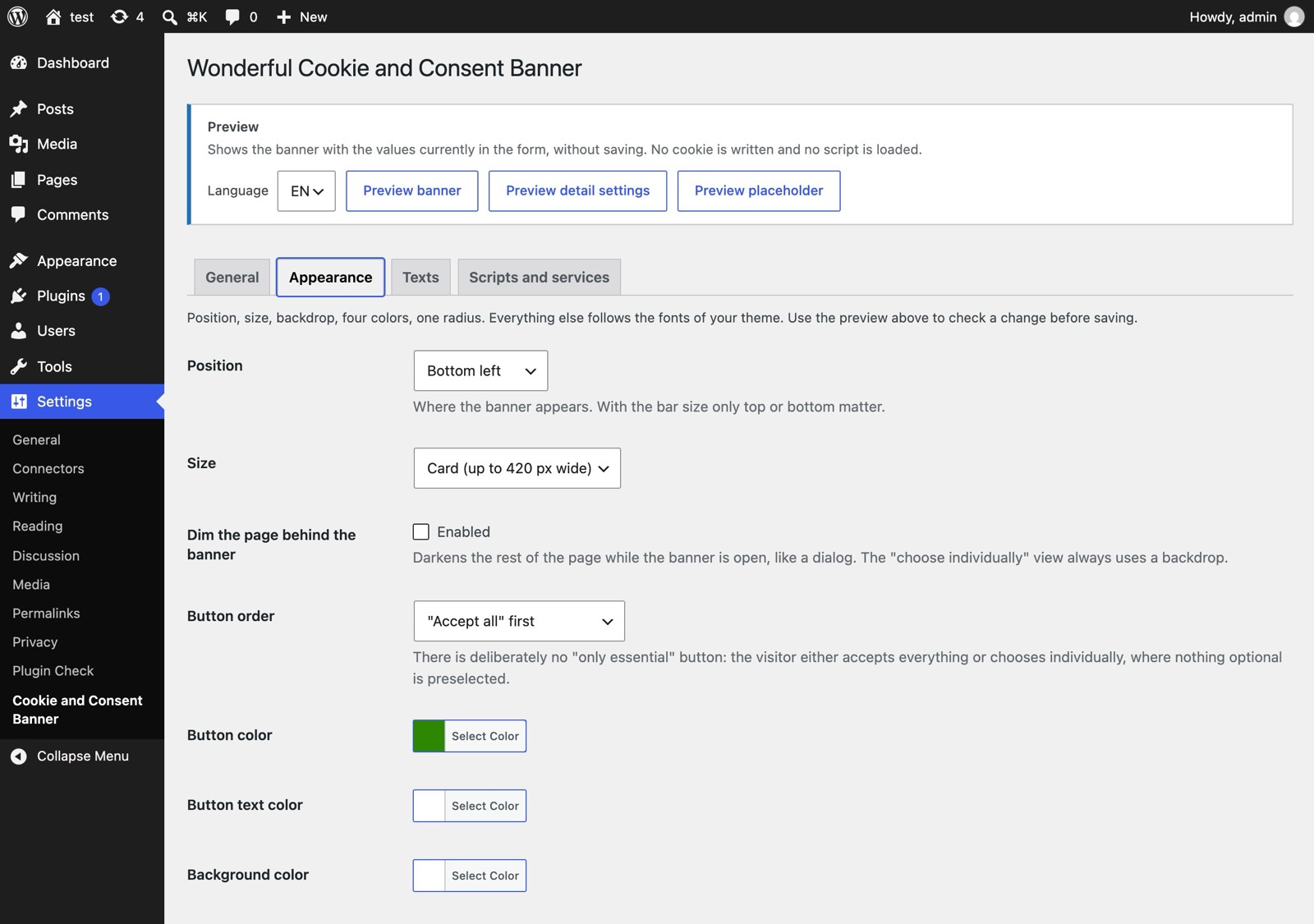
Appearance: position grid, size, backdrop, button order, colors. Three preview buttons render the current form without saving.
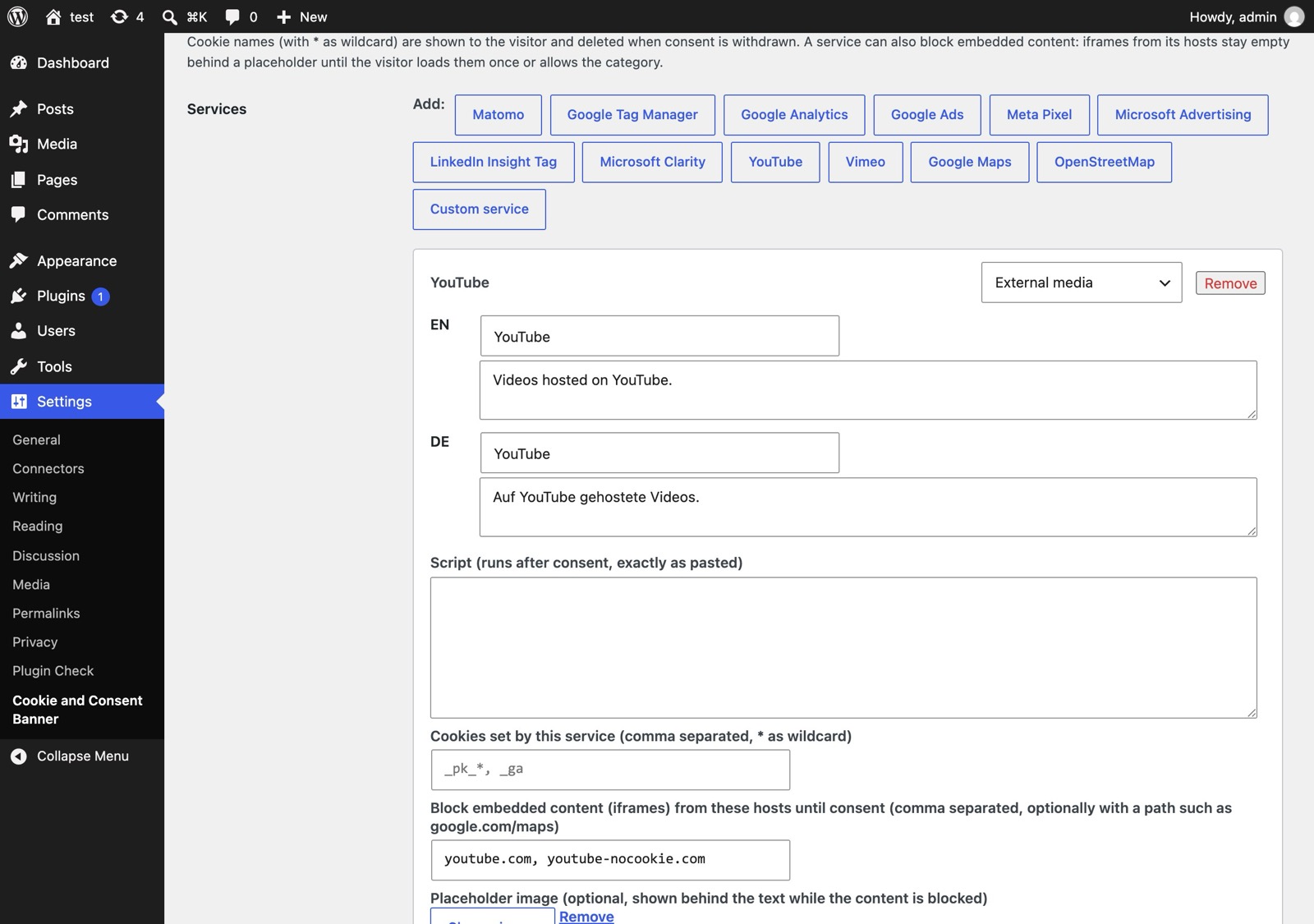
Scripts and services: twelve presets, per-language name and description, the script that runs after consent, cookies, embed hosts, placeholder image.
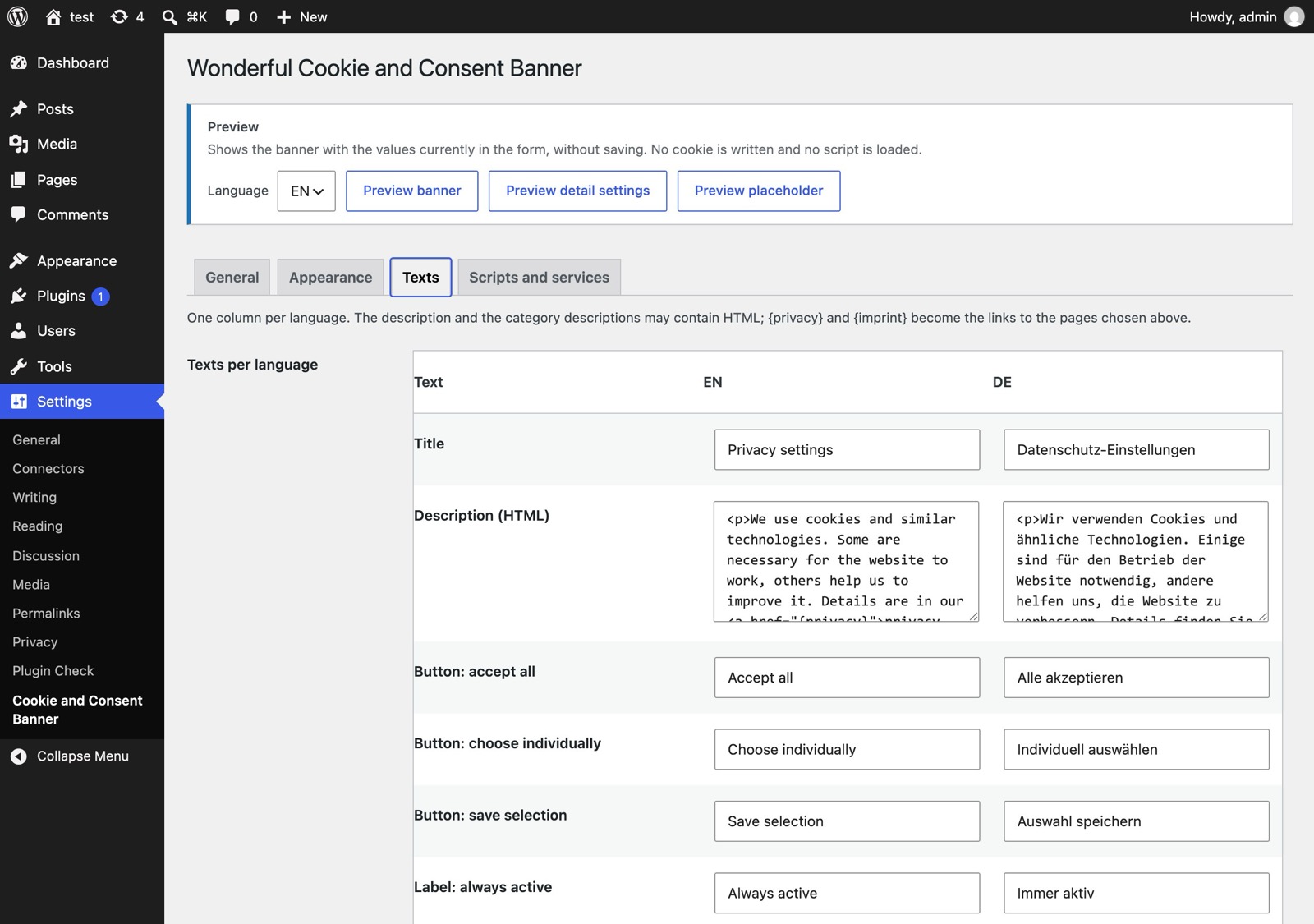
Texts: every text in one column per language, HTML where it helps.
For developers
JavaScript: wonderfulCookieAndConsentBanner.has('statistics'), .consentId(), .open(), .acceptAll(), .reset(); the event wonderful-cookie-and-consent-banner-consent fires on every page load with a stored decision and after every new one, and the same event goes to the dataLayer, so one Google Tag Manager trigger covers all pages. shows the visitor's current choice on the privacy page. PHP: wonderful_cookie_and_consent_banner_has( 'marketing' ) and the filters wonderful_cookie_and_consent_banner_language and wonderful_cookie_and_consent_banner_should_load.
Version 1.0.0 — View on WordPress.org.
Questions, bug reports, feature requests, or feedback? Get in touch!